Team
1 Designer, 4 Engineers
Timeline
June – August 2025 (2 months)
Tools
Bolt.New, Github Co-Pilot, Miro
Healthcare accreditation is a high-stakes, document-heavy process where visibility and accuracy directly affect operations.
As a Product Design Intern at a healthcare accreditation startup, I worked closely with engineers to design a centralized CRM portal that replaced fragmented, email-driven workflows with a shared system of record. The solution reduced cognitive load, improved transparency, and supported collaboration across internal teams and external clients.
With the short timeline, I also explored AI-assisted prototyping to accelerate iteration while maintaining strong UX judgment, accessibility, and clarity.
I led the app's structure by mapping site maps and user flows, facilitating user interviews and testing, creating interactive prototypes, and advocating for accessibility. I partnered closely with developers to translate designs into production-ready UI.
Accreditation relied on a fragmented workflow of multiple third-party tools: email inboxes, document platforms, and scheduling software.
This posed many problems for employees managing the process:
Fragmented communication created ambiguity around ownership and status
No shared visibility made it hard to understand what was pending or complete
Loss of continuity occurred when staff changed roles or left
Manual follow-ups consumed time and increased error risk
RESEARCH
Key Insight
At first, we believed the problem was simply having too many tools to use.
After user interviews, we found that the deeper issue was lack of shared context and visibility.
Employees didn’t just need fewer tools, they needed:
Confidence that documents weren’t lost
Clear ownership and status at a glance
A system that preserved context over time
With this in mind, I focused on designing an app that stores shared records, but also augments human coordination.
Why was this happening?
I reached out to 5 employees across departments and found:
1. Single point of communication
There is a heavy reliance on certain individuals to receive and manage all emails sent by employees.
2. No central repository
Users lacked a unified place to access relevant documents, deadlines, or progress, revealing a lack of transparency in the current workflow and difficulty with collaboration.
3. Lack of continuity
When a hospital staff member leaves, their email history is often inaccessible to new employees, rendering documents lost and un-trackable.
4. Manual follow-ups
Employees must then manually check in or resend lost documents, which is a tedious and time-consuming process.
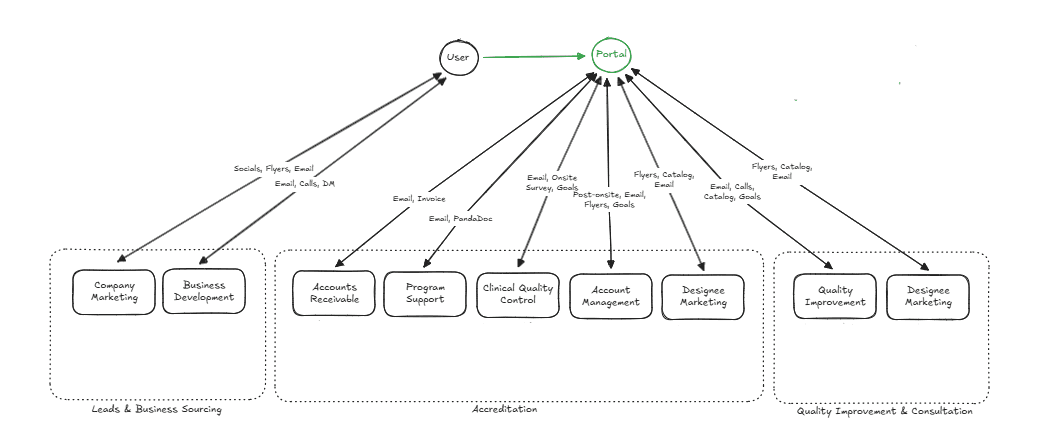
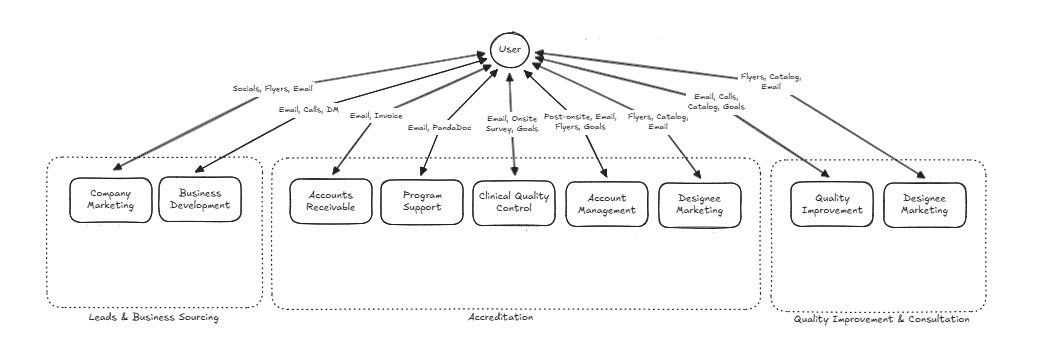
This chart illustrates how users would interact with the new CRM portal (click image to zoom in)
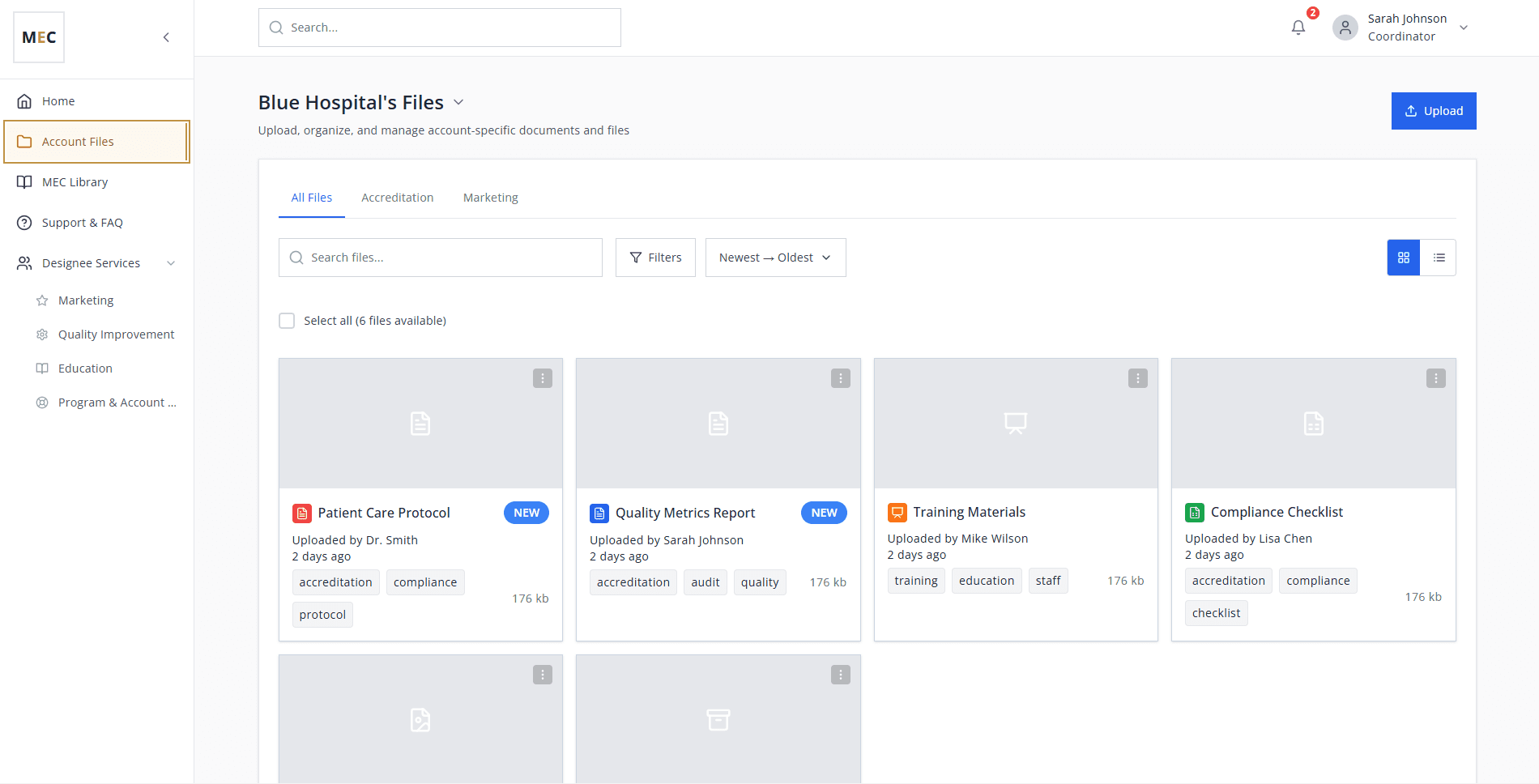
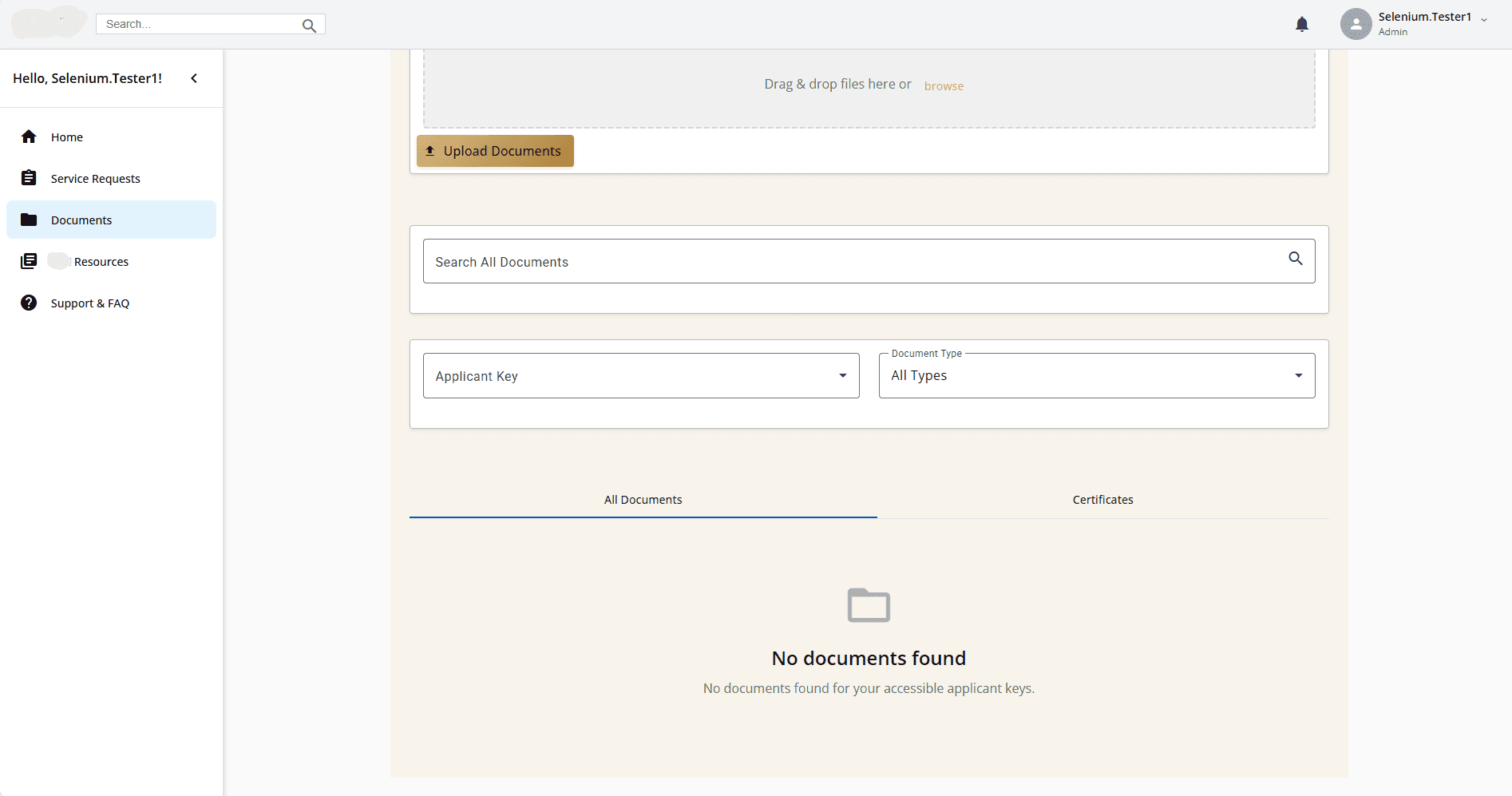
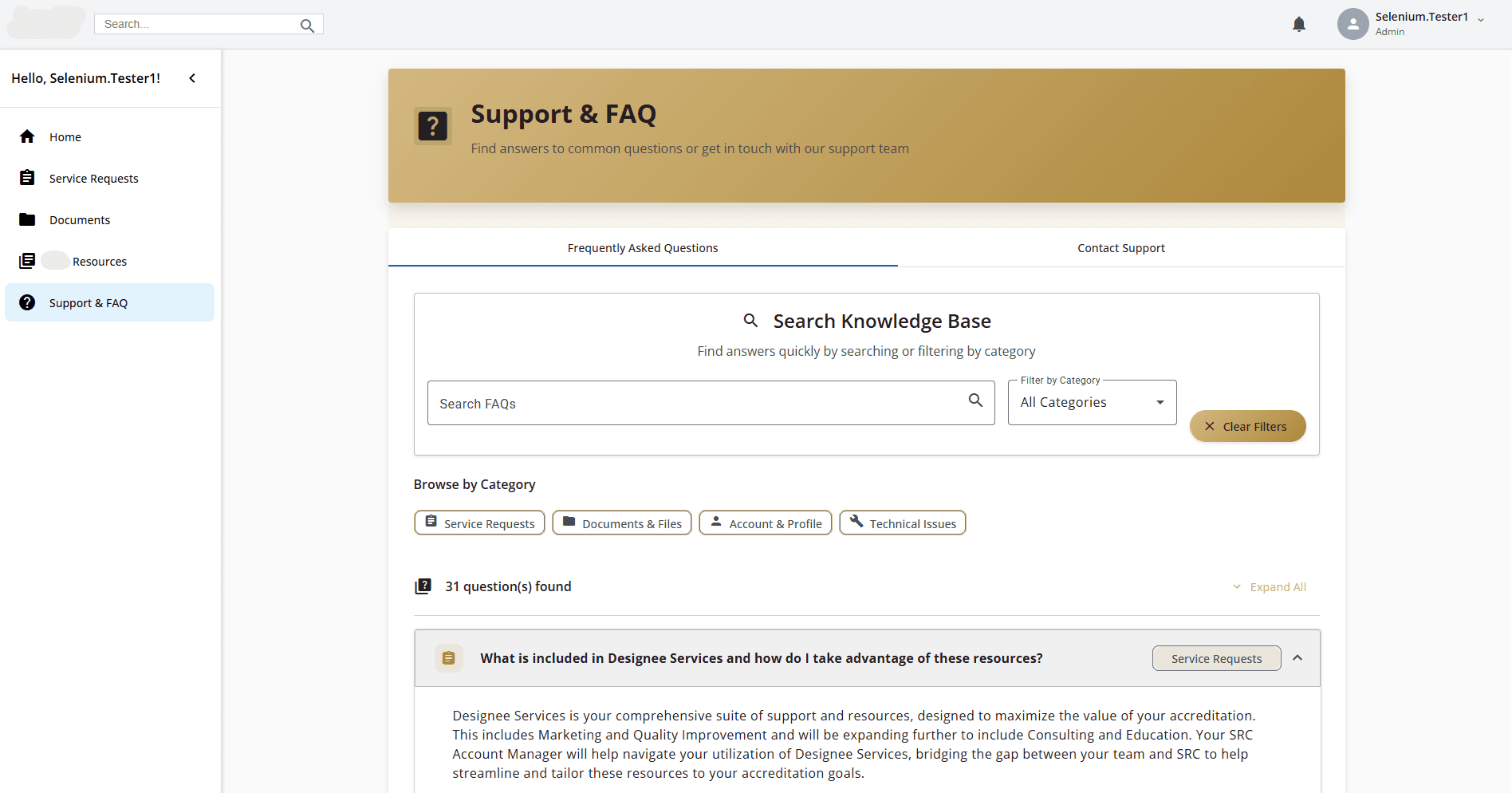
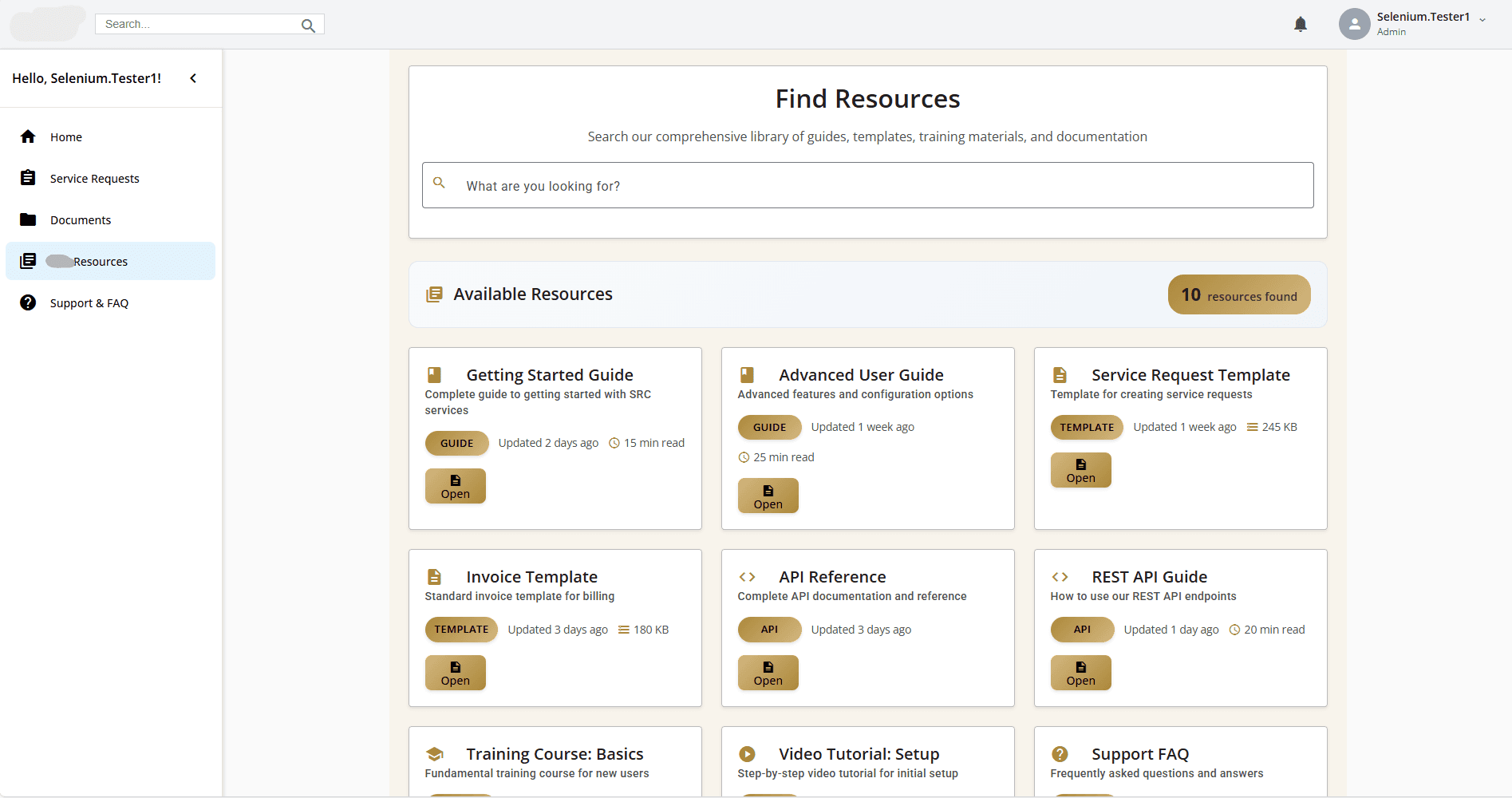
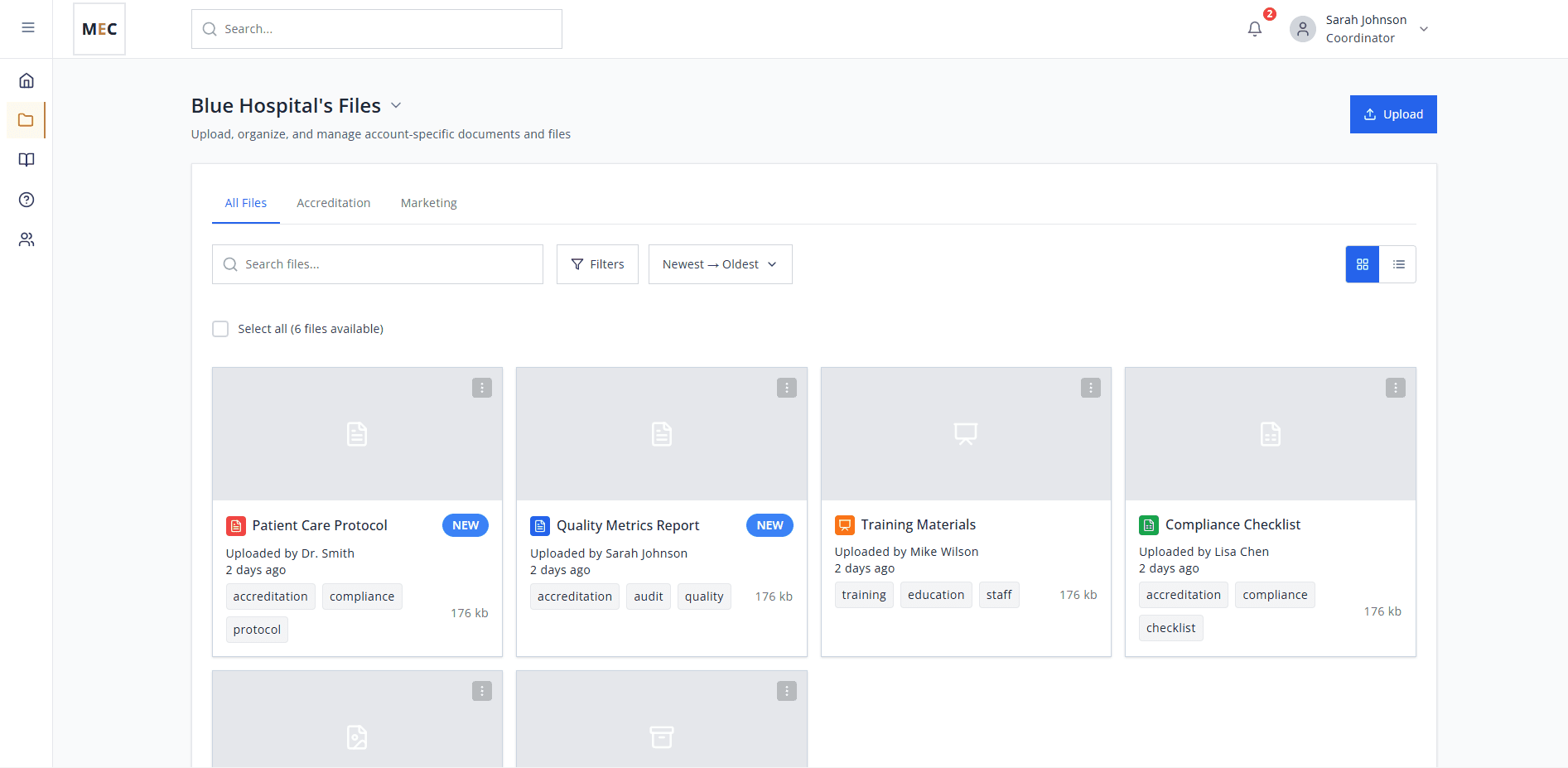
The new CRM portal serves as a central hub for accreditation-related materials, giving users easy access to service information, important documents, and request submission tools. It enables self-service for designees, improves transparency, and reduces reliance on individuals.
To support faster iteration and exploration, I experimented with AI-assisted design workflows during early prototyping and development.
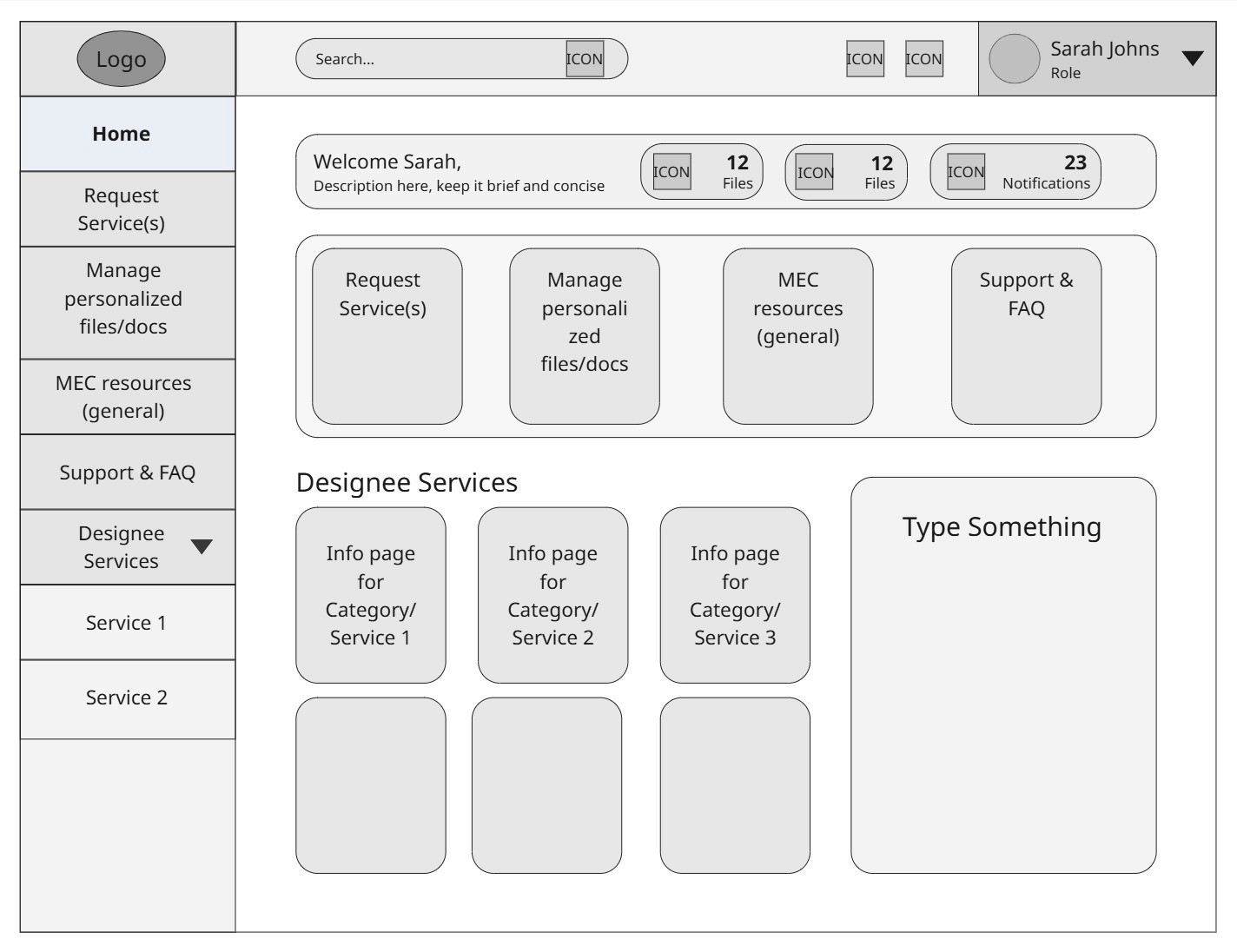
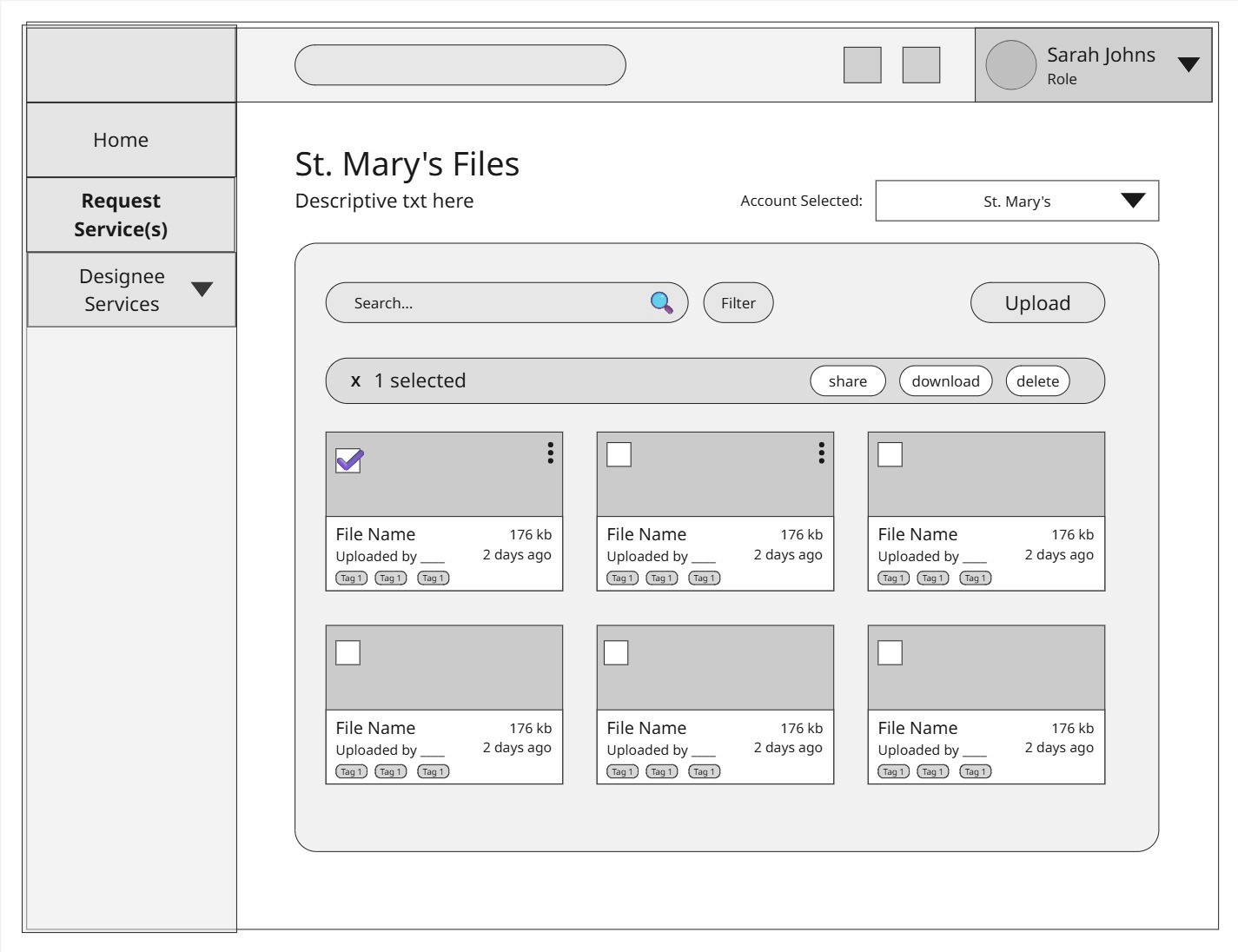
1. Task-based workflows over message threads
I designed around requests, documents, and deadlines instead of conversations to make progress and ownership visible at a glance.
Tradeoff: Required behavior change, but significantly reduced ambiguity and follow-ups.
2. Information architecture designed for uncertainty
I prioritized search, filtering, and progressive disclosure, recognizing that users often didn’t know what they were looking for by name.
Tradeoff: Increased design complexity upfront, but scaled far better in real-world use.
3. AI-accelerated iteration with UX guardrails
AI sped up exploration, but UX decisions around hierarchy, accessibility, and interaction remained human-led.
Tradeoff: Slightly slower than full automation, but far higher quality outcomes.
Validation & Iteration
I tested prototypes with employees across departments, focusing on:
Task completion speed
Clarity of status and ownership
Ease of locating documents
Based on feedback, I iterated on:
Navigation hierarchy
Visual prioritization of pending actions
UX writing to reduce ambiguity
Developer Handoff and Collaboration
Linking up Frontend UI with Backend Functionalities
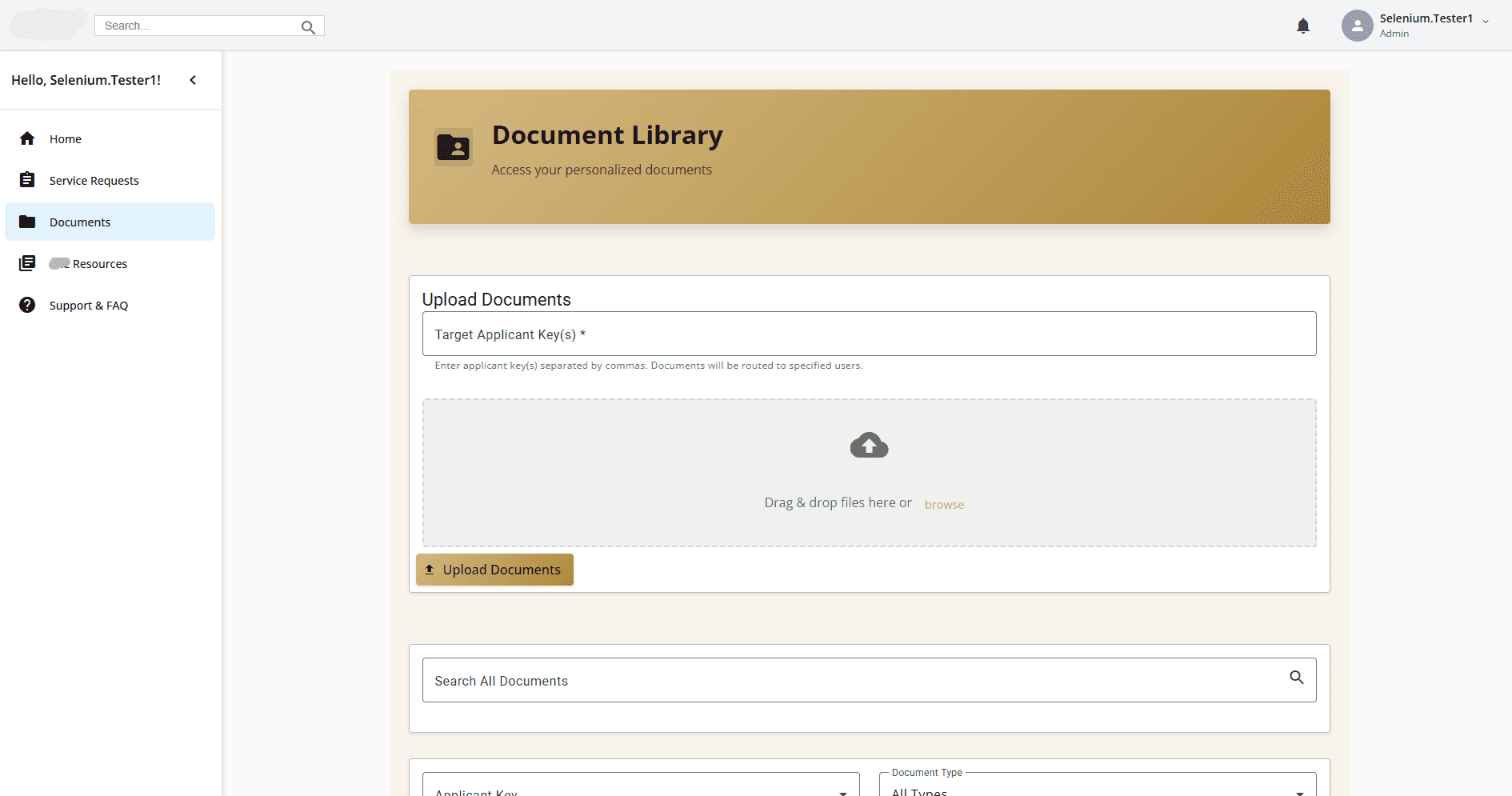
Early on, our team used GitHub Copilot to generate the first version of the user interface, but the UI was messy and needed restructuring.
Once the updated design was finalized, the developers transferred the frontend code I generated and integrated it with the backend files in GitHub.
The New User Interface
Before
After
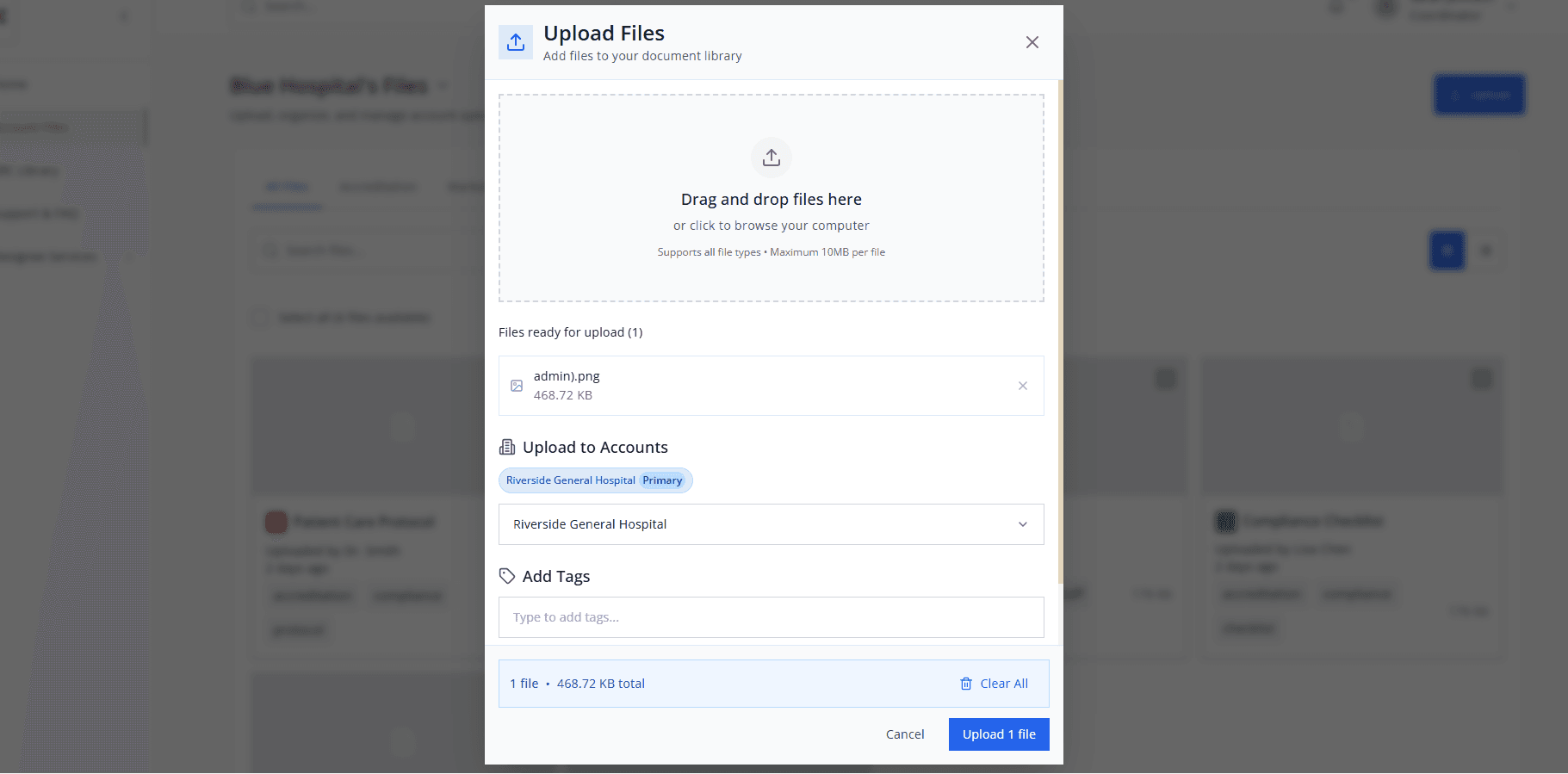
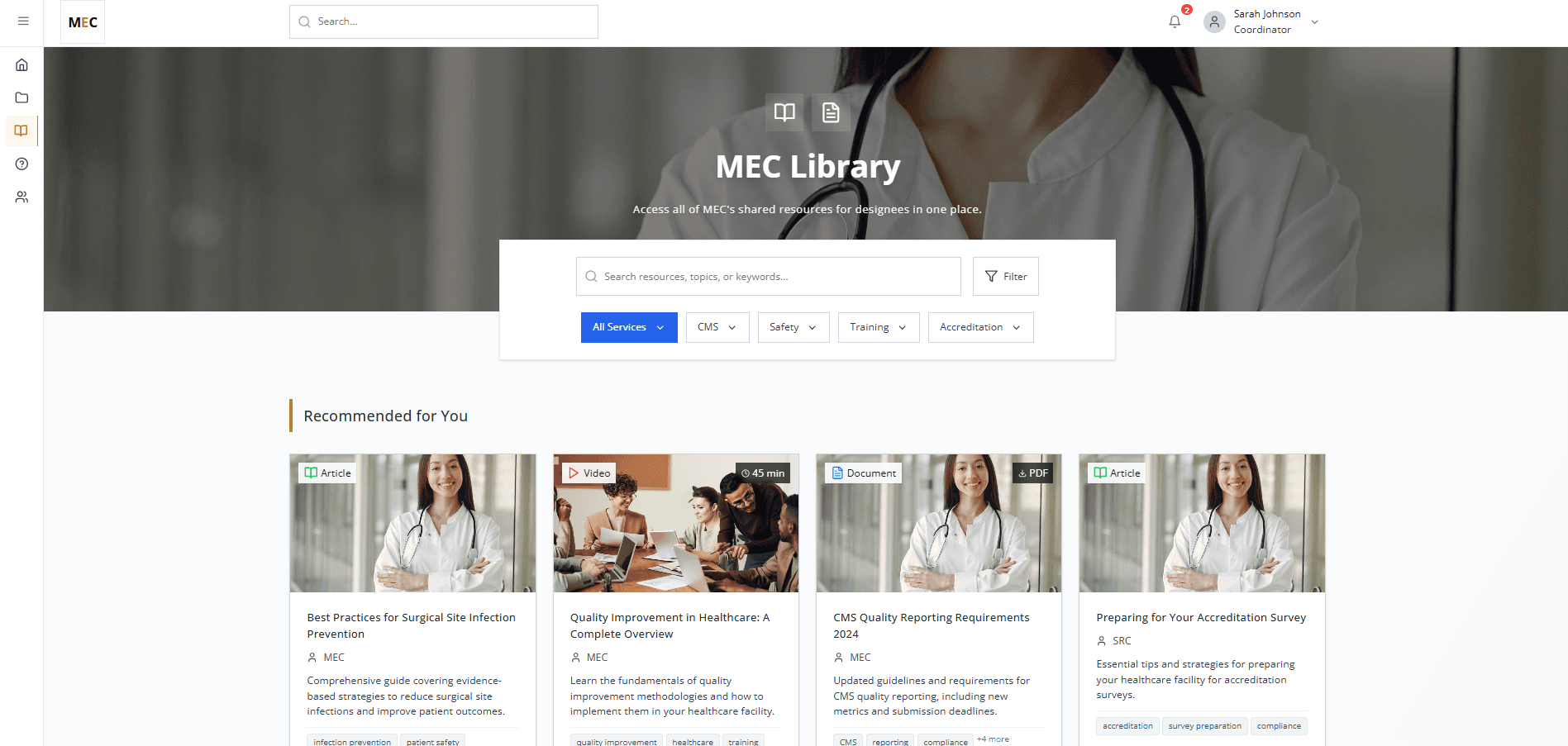
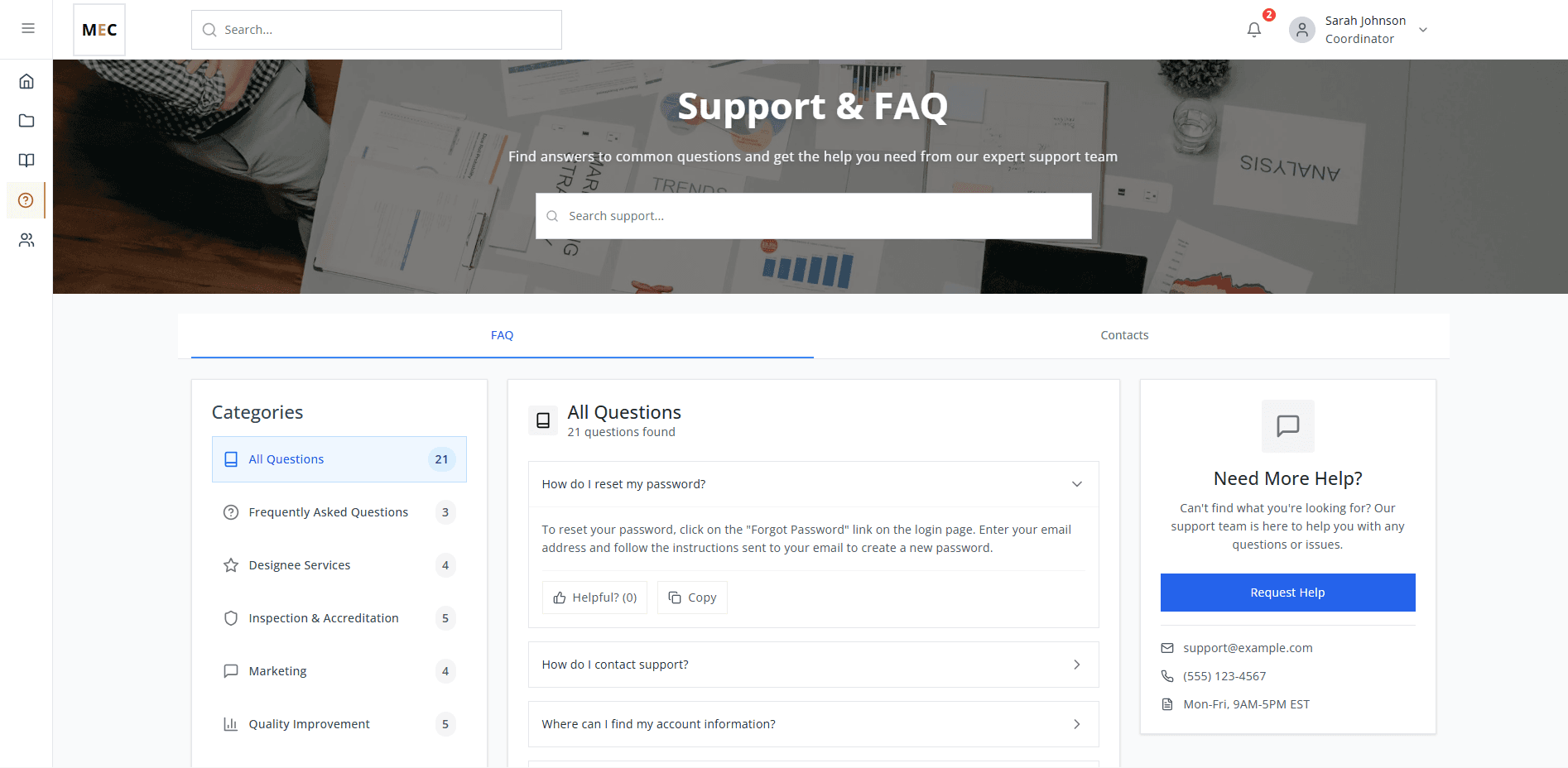
Results
Employees were especially impressed by how the streamlined frontend and clear user flows simplified what used to be a complex, email-heavy accreditation process.
Impact & Outcomes
76% Faster Photo Tagging
~40%
reduction in accreditation communication steps
Reduced reliance on email and manual follow-ups
“The layout makes it so much easier to see where everything is and what needs our attention.”
— Designee Services Staff
“We’re really excited to start using this in our workflow.”
— Customer Service Employee
Learnings & Reflection
Reflection & Next Steps
This project reinforced that clarity is a form of safety in high-stakes systems.
If extended, I would:
Observe real-world usage to validate long-term adoption
Explore lightweight AI assistance (e.g., summarizing case status) while protecting sensitive data
Expand role-based permissions as workflows evolve
This experience also shaped how I think about AI, systems design, and workflow augmentation in complex environments. However, I found that without strong UX direction:
AI-generated interfaces quickly became cluttered
Inconsistent patterns emerged
Accessibility and clarity degraded
This reinforced an important lesson:
AI can accelerate design work, but it requires human judgment to produce coherent, accessible experiences.
Next Steps
The portal is built to be scalable and provides a strong foundation for future features & enhancements. Some next steps are to expand user roles and permissions to support different access levels for administrators, reviewers, and external partners.