
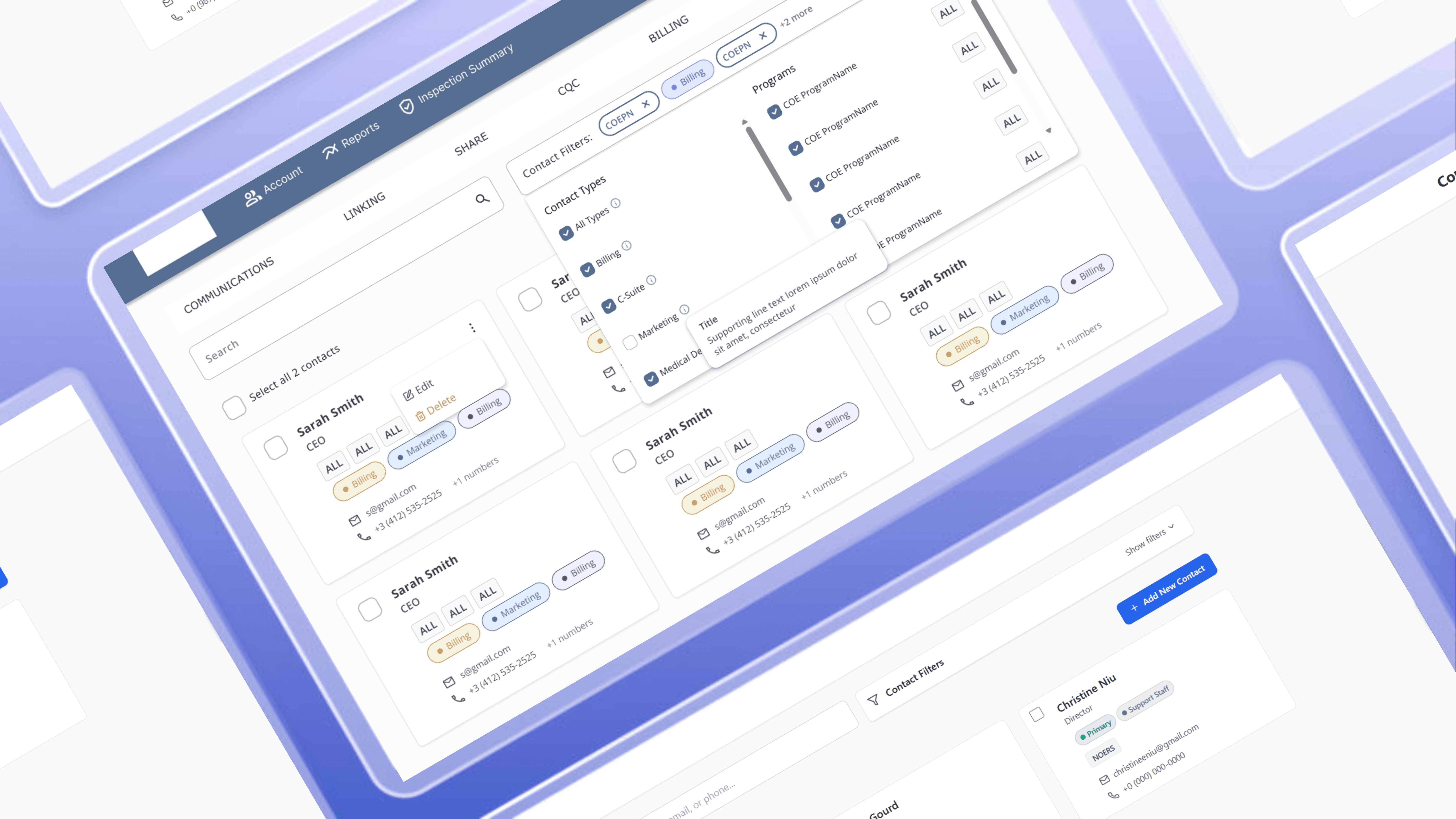
Designing a Contact System Healthcare Teams Can Navigate
Reducing search friction and communication errors across departments
My Role
Product Design Intern
Timeline
June - July 2025 (2-week design sprint)
Tools
Figma, Bolt.New
01
The Problem
During high-stakes healthcare inspections, employees struggled to find contacts because data was scattered across screens, causing delays, errors, and frustration. Contacts were siloed from each other, lacked search functionality, and weren’t standardized across teams.
How might we give employees instant access to the right contact, without adding complexity to an already-overloaded workflow?
02
Research & Discovery
Building on Existing Insights
I analyzed prior stakeholder interviews across account management, billing, marketing, inspections, and business development that revealed 4 key pain points:
1. Scattered Data Created Cognitive Overload
Contacts were organized by program within each client page and required manual navigation across multiple sections.
2. Inconsistent Contact Definitions
The system treated each account as having one main contact, but teams actually worked with many. This caused confusion about who to contact and who should update their info.
No Way to Search or Filter Contacts
Finding a specific contact required knowing exactly where to look. For new employees or cross-functional users, that knowledge didn't exist.
Communication Required too Many Steps & Manual Work
No bulk email tools, no extension visibility, no clear path from "find contact" to "reach contact."
The Deeper Issue
The real issue wasn’t just finding contacts, it was defining what a “contact” is across teams.
"A contact is a role— whoever holds the seat at a hospital facility."
— Billing Team
"A contact is a person— someone we've built a relationship with over the years."
— Account Management Team
Different definitions risked any interface we designed being inconsistent , so I reframed the problem from "build a better contact list," to design a contact model that works for every team.
03
Key Design Decisions
Filter Pattern: Stacked Layout vs. Visible Pills
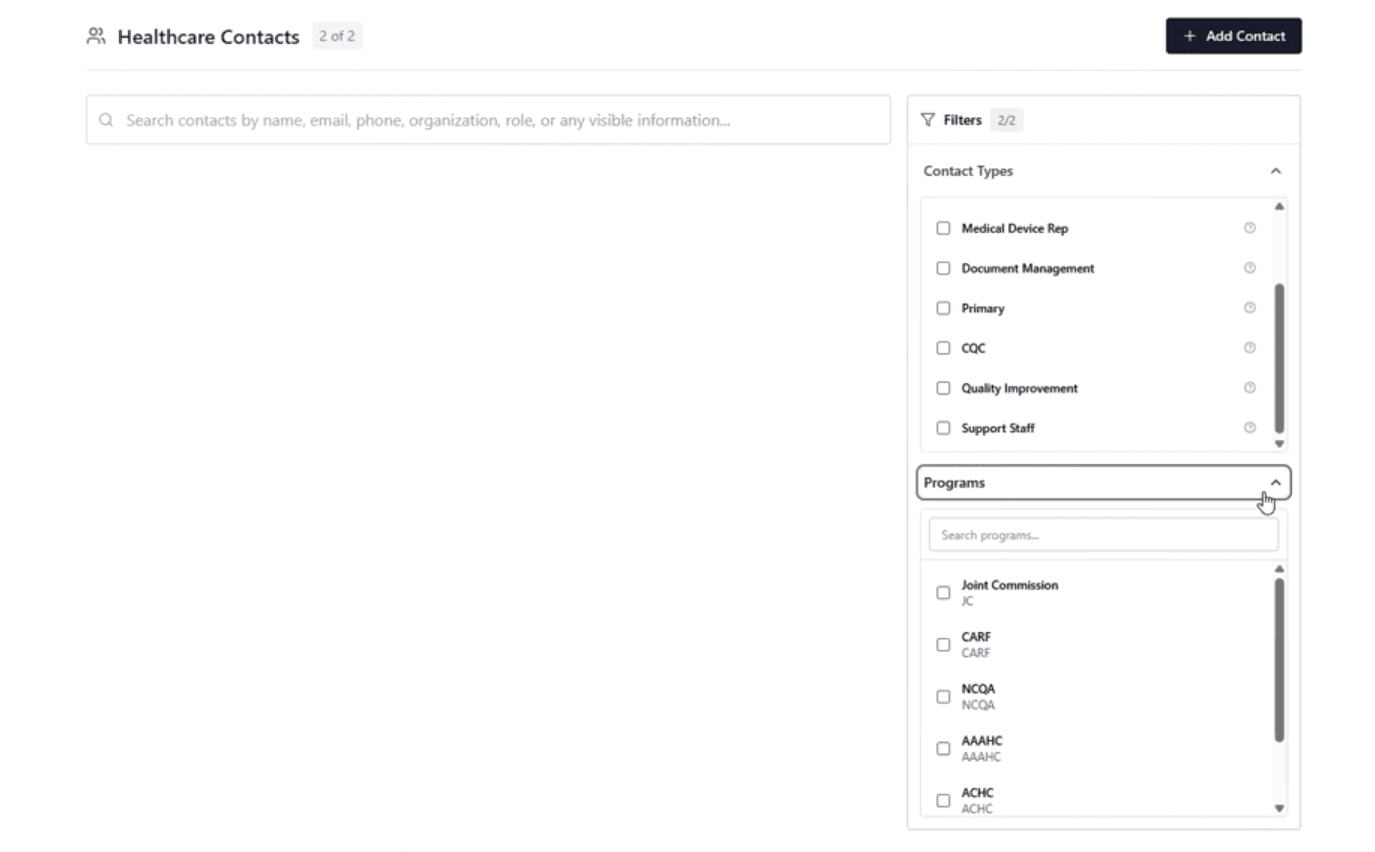
Filter Exploration #1
I originally designed dropdown filters, but in testing, users found them hidden and clunky to navigate.
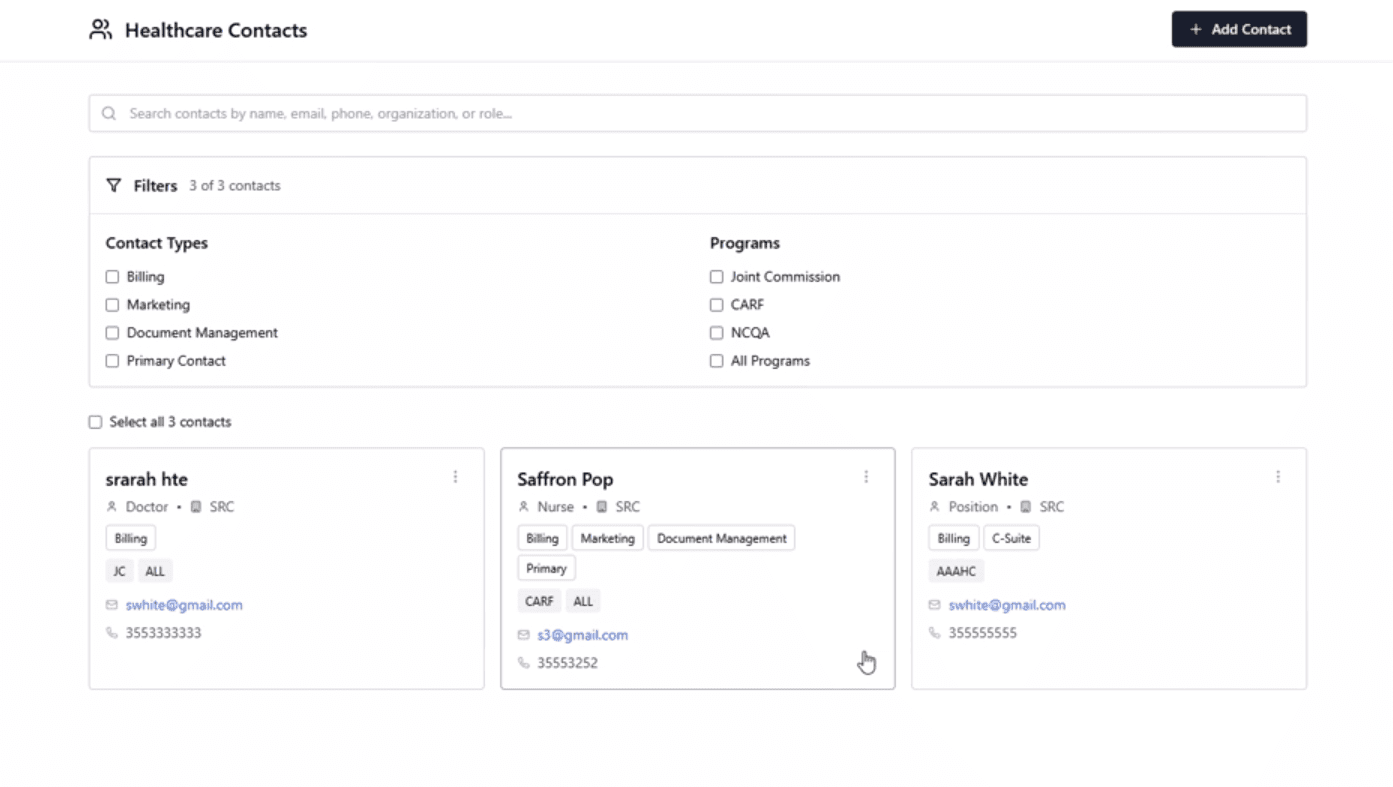
Filter Exploration #2
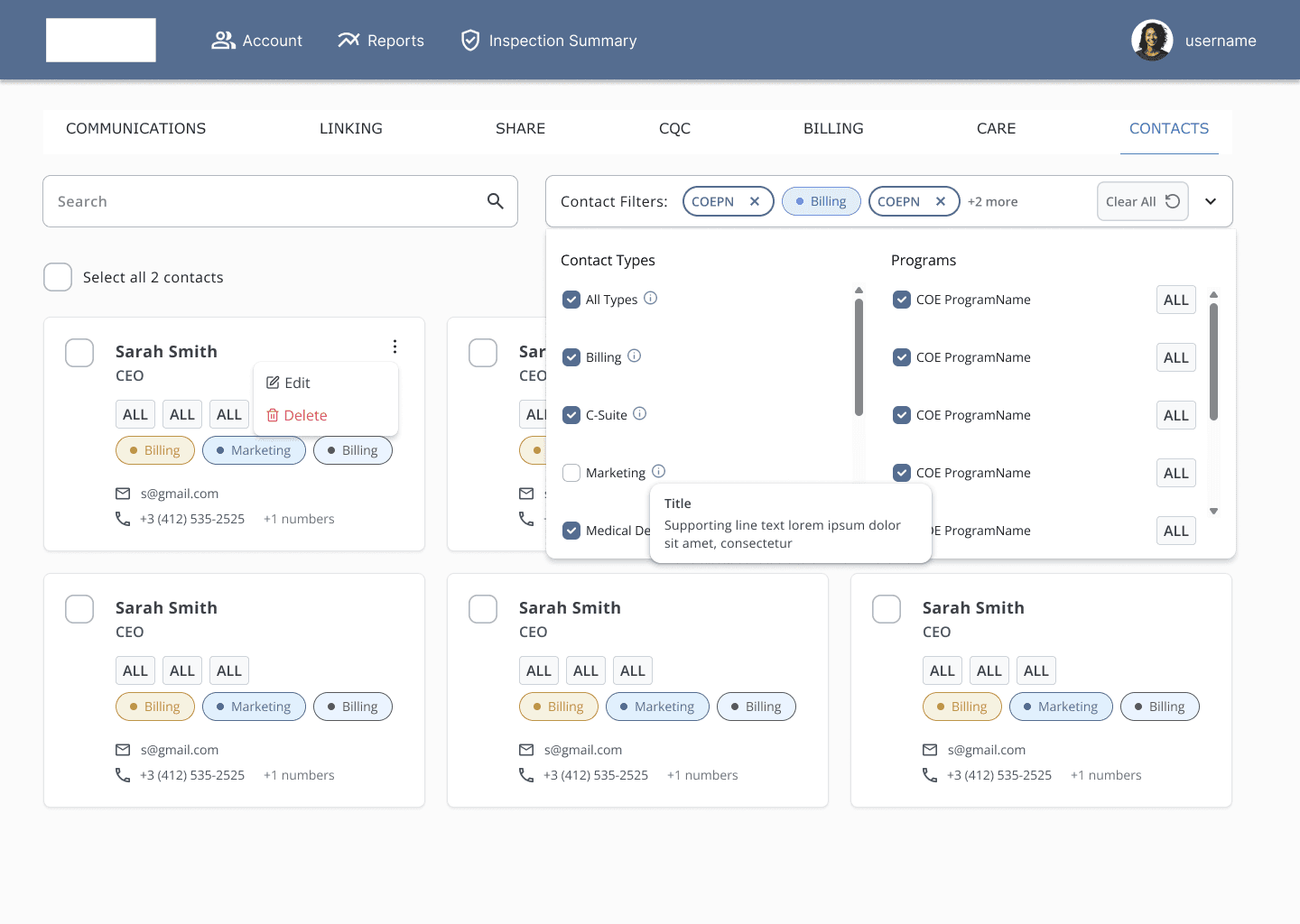
I iterated toward an Airbnb-style filter pill pattern with removable chips. This increased visual complexity slightly but Improved discoverability and clarity.
The Final Result: users found a target contact in an average of 4 seconds using filters alone.
Card vs. List View
I designed a card view for fast scanning based off of the primary use case, with an optional list view for power users.
Engineers only had time to implement one version for the current sprint, so I prioritized scannability over density.
04
Testing Tasks With Real Users
I tested the design with the Account Management team using interactive prototypes:
User Testing Metrics:
~4 seconds — average time to find a contact using filters
~45 seconds — average time to create a new contact
Little to no observed friction on core flows across all test sessions
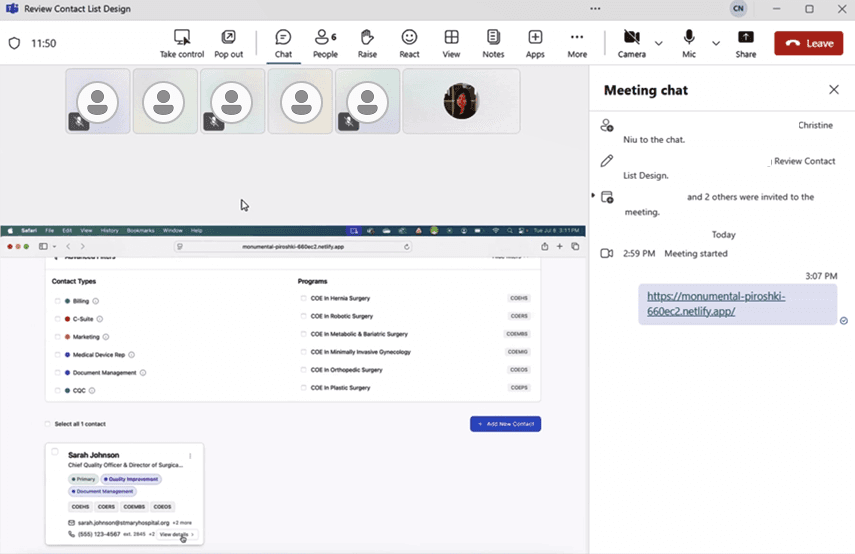
Performing live user testing with the Account Management team
Key Iterations:
Moved bulk email into persistent toolbar
Clarified “All Programs” definition with inline helper text
05
Final Solution
A Centralized, Role-Aware Contact System with:
Global search + filter pills (name, email, program, type)
Card + list views
Multi-select + bulk email actions
Quick-view contact modal
Data Model
“All Programs” contacts auto-apply across programs
Person-based edits propagate across accounts
Role-based contacts remain scoped
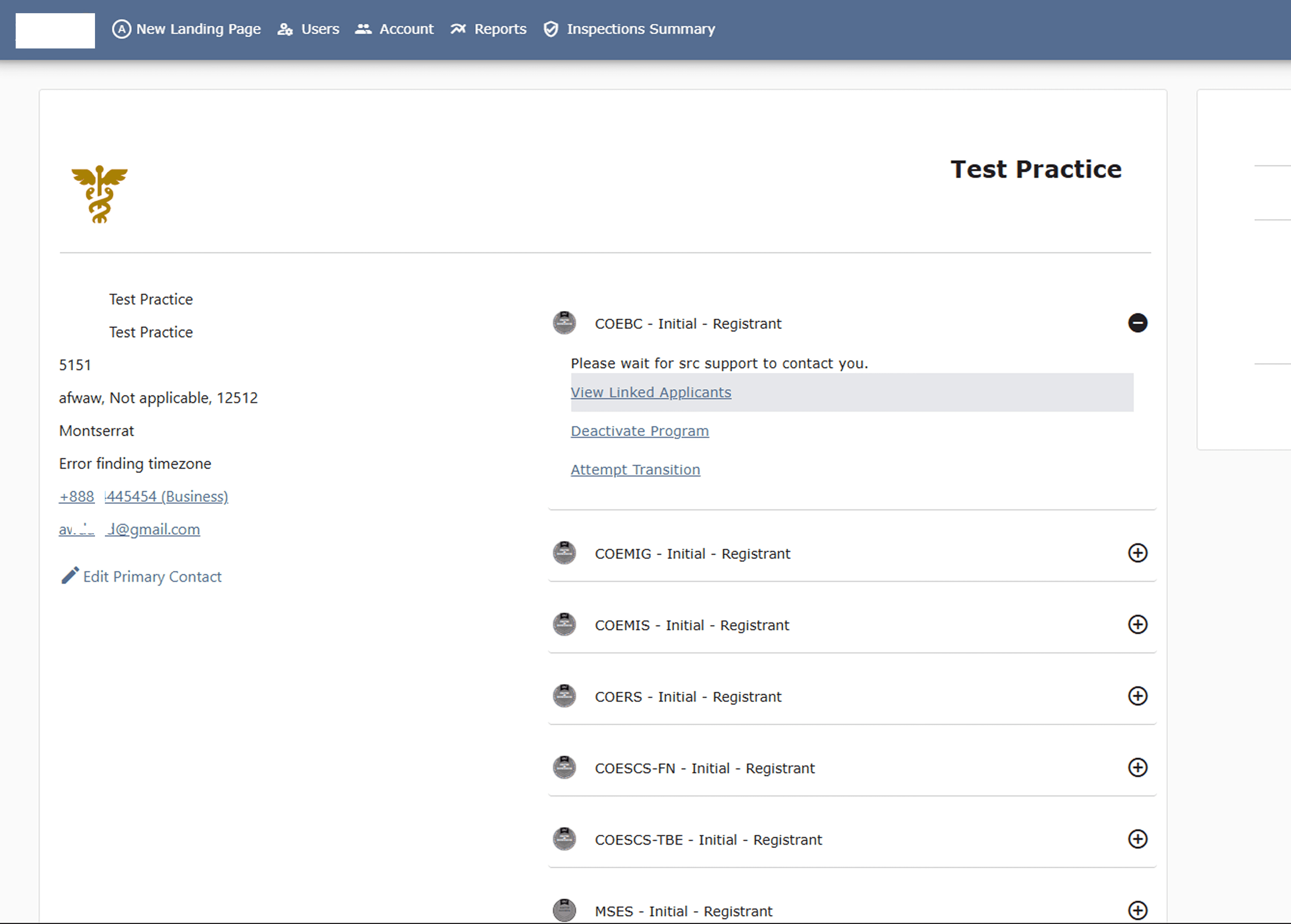
Before
Contacts were scattered across individual sections of each client’s account page, forcing manual searching and increasing risk of error.
Impact & Outcomes
30+
contacts centralized per account
4 MVPs
scoped for engineering
Replaced multi-step navigation with a single searchable system
06
Reflection
The hardest design problems aren't always visual. Understanding how the system works beforehand helped me design a more tailored solution. Sometimes, the most important design work is what you don’t see.
With more time, I would conduct original research and user testing across all five user roles rather than building on prior interviews alone and observe the feature post-launch to validate whether the filter patterns hold up at scale.
