role-based photo management platform
Improved operational efficiency while ensuring secure, controlled photo access for staff and families.
76%
faster photo tagging
300+
users supported across
4 roles
$3000+
annual cost savings compared to existing tools
Every photo has a moment worth sharing, just not at the cost of hours of manual work.
the stakes
Every summer, Camp Starfish captures over 1,500 highly sensitive photos of children with autism and social-emotional challenges. But their workflow forced them to choose between operational efficiency and privacy.
One staff member was spending nearly 8 hours a day manually organizing photos in Google Drive, and parents still couldn’t reliably access photos of their own children.
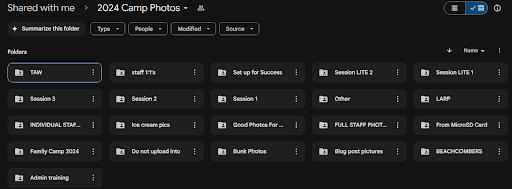

Camp Starfish's Old Photo Management System
“How might we reduce staff effort in managing camp photos while ensuring families only see trusted, approved content?”
Solution
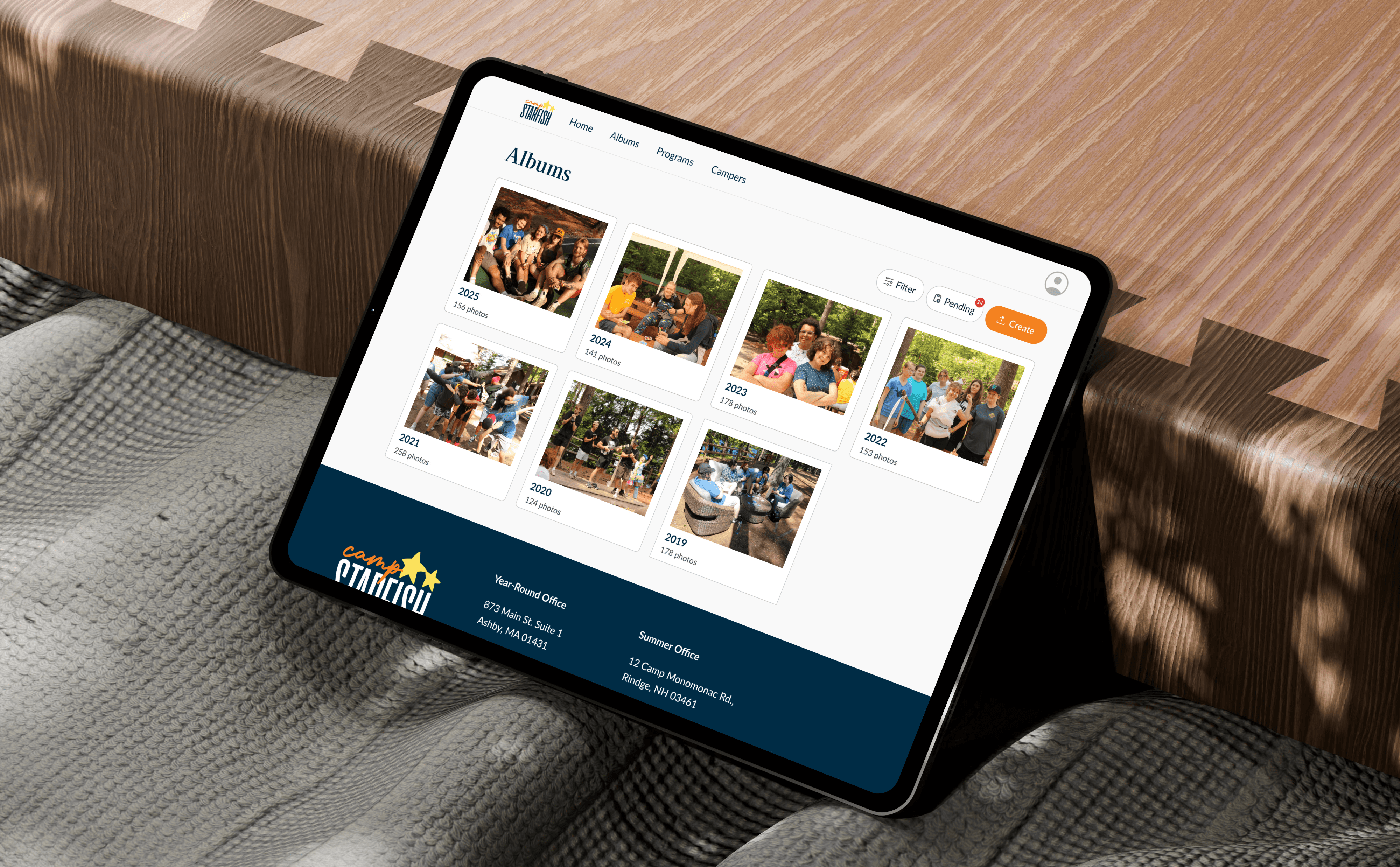
A Custom Role-Based Photo Management Platform
Collaboration friendly & adheres to existing staff workflows
Scales for increasing photo volume and camper enrollment
Ensures privacy through permissions and controlled access
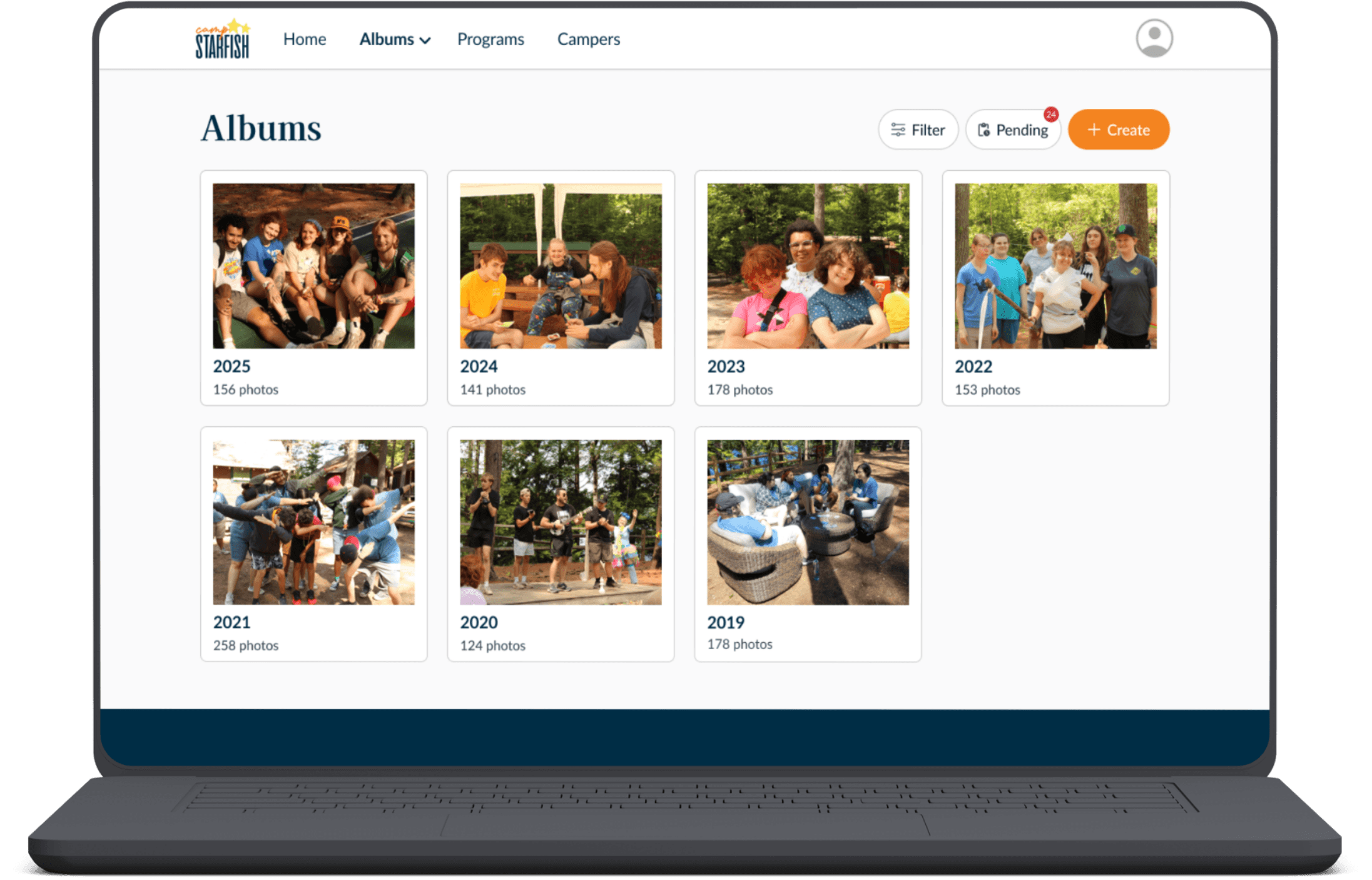
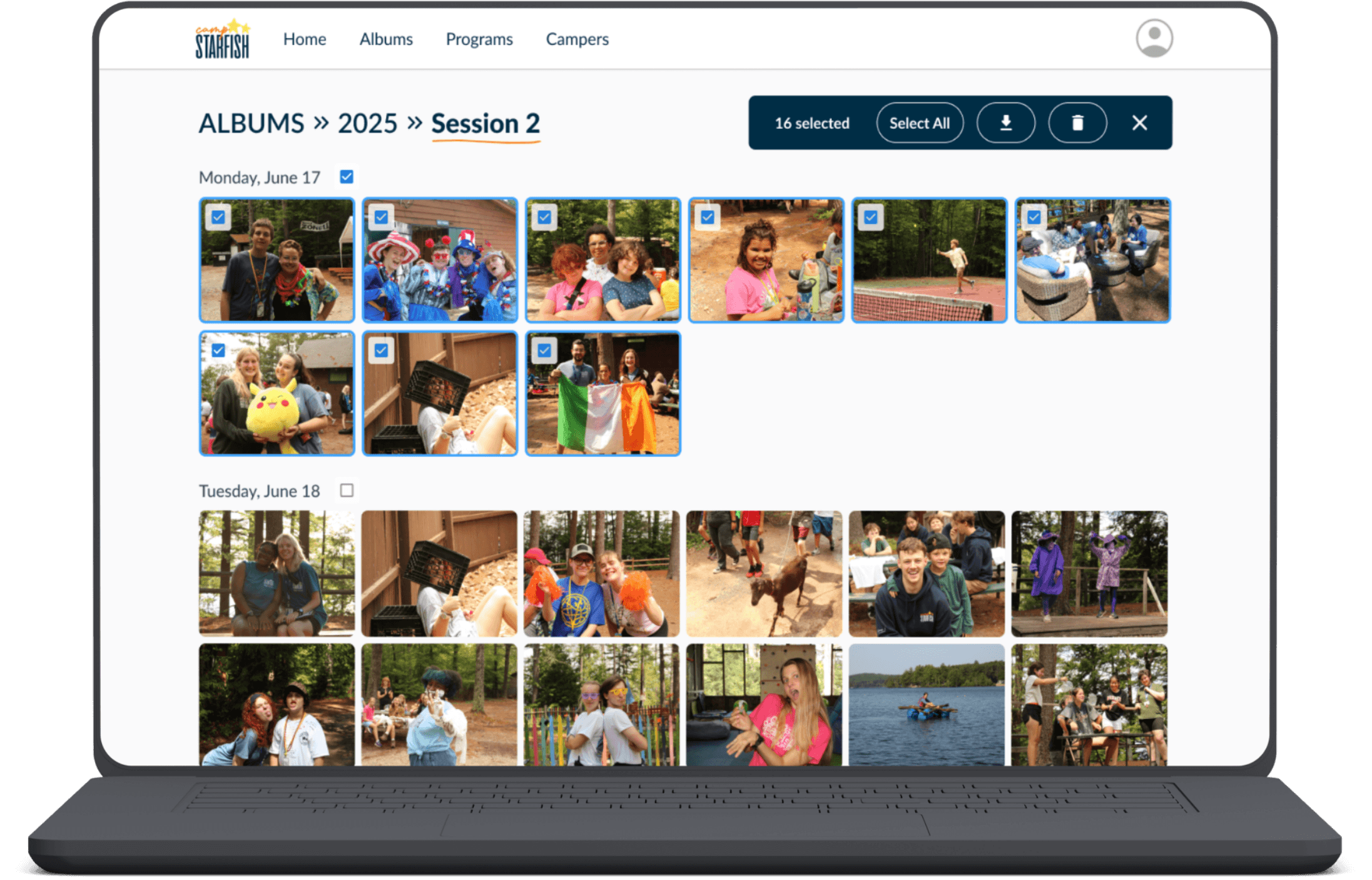
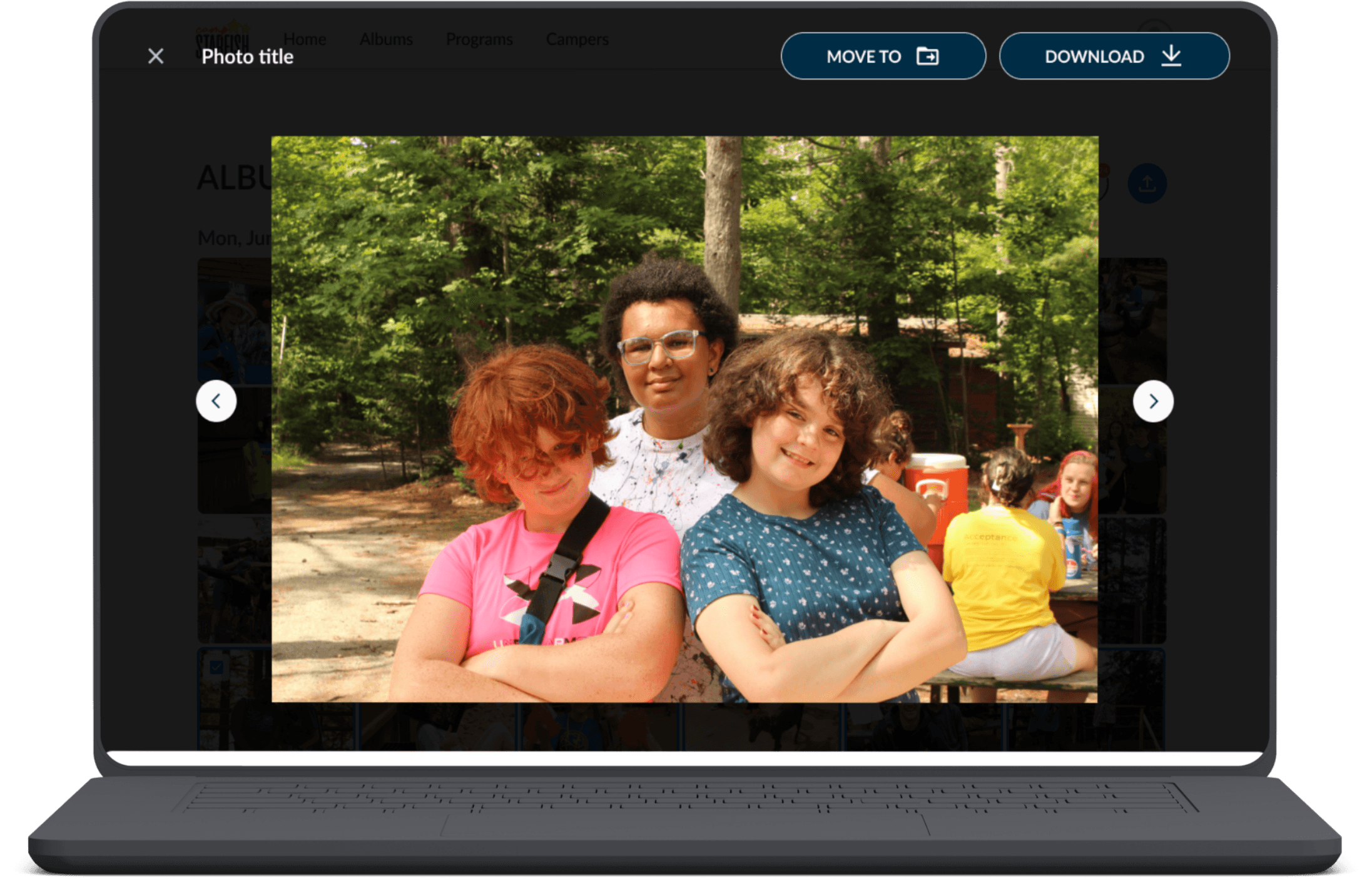
My Contributions
Led user research & competitive analysis, including 10+ surveys, interviews, and usability tests across staff, admins, and parents
Owned end-to-end UX for role-based workflows in collaboration with product, design, and engineering
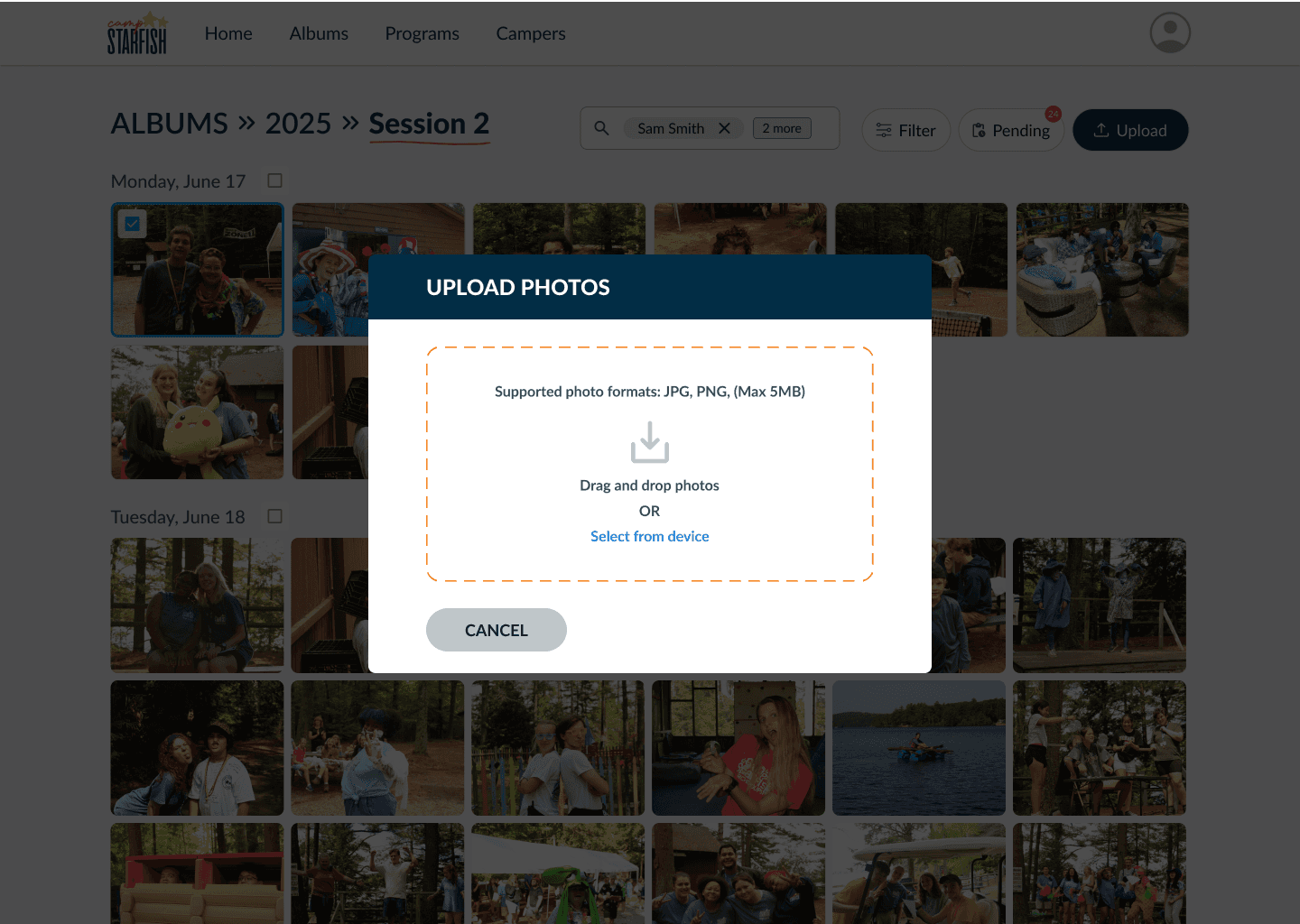
Designed album navigation, filtering, bulk actions, and upload flows
Constraints
Privacy requirements
Team size & bandwidth
3-month timeline.
key insights
Data from 6 User Interviews & Changing Contexts
We found significant frustration around photo management, and parents expressed a desire for increased access to photos of their children.
One insight that stood out was when a staff member mentioned that they could only see photos if they were printed or posted online. This limited their ability to relive the memories they created with campers, revealing that parents weren’t the only ones who wanted photo access; staff did as well.
This shifted our direction. What initially began as an internal admin tool focused on efficiency evolved into a role-based platform that ensured secure, controlled photo access for multiple user groups.
Defining User Flows
Many user actions overlapped across roles instead of mapping cleanly to a single role, so I organized key tasks into user flows to simplify interactions and identify shared workflows across admins, staff, and parents.
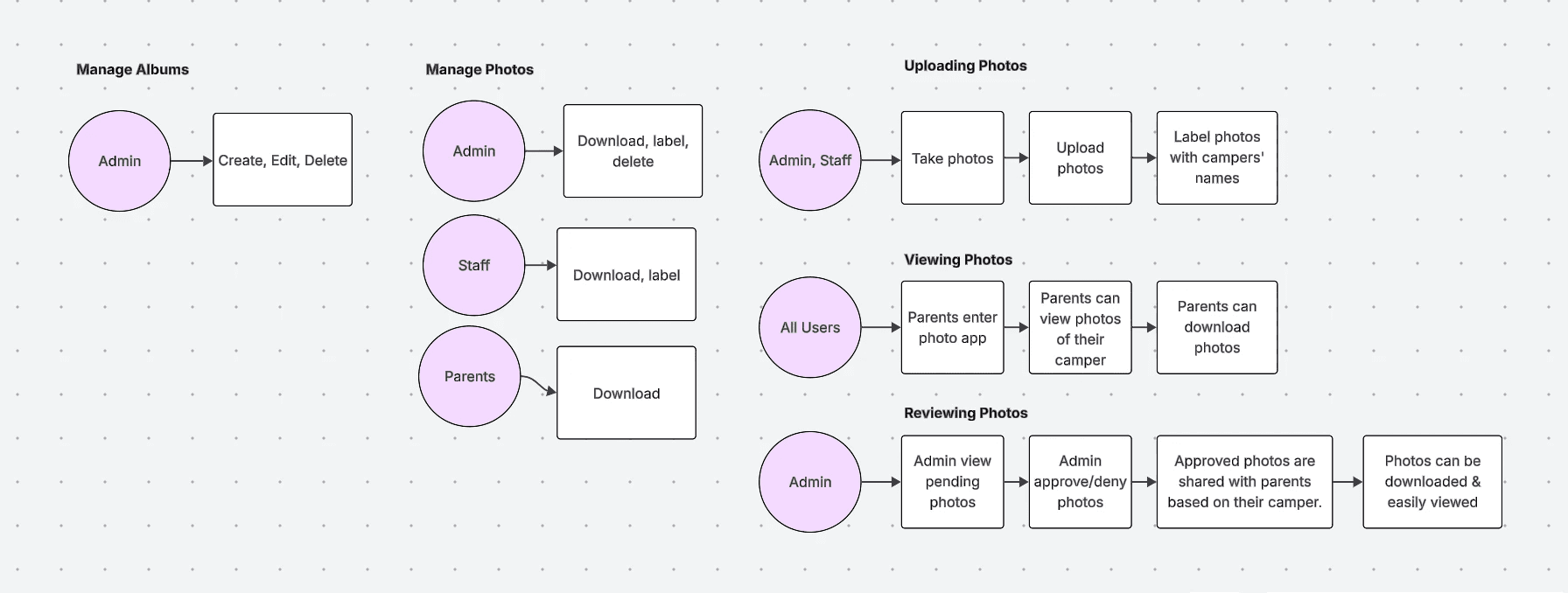
Mapping user flows in LucidChart
key design decisions
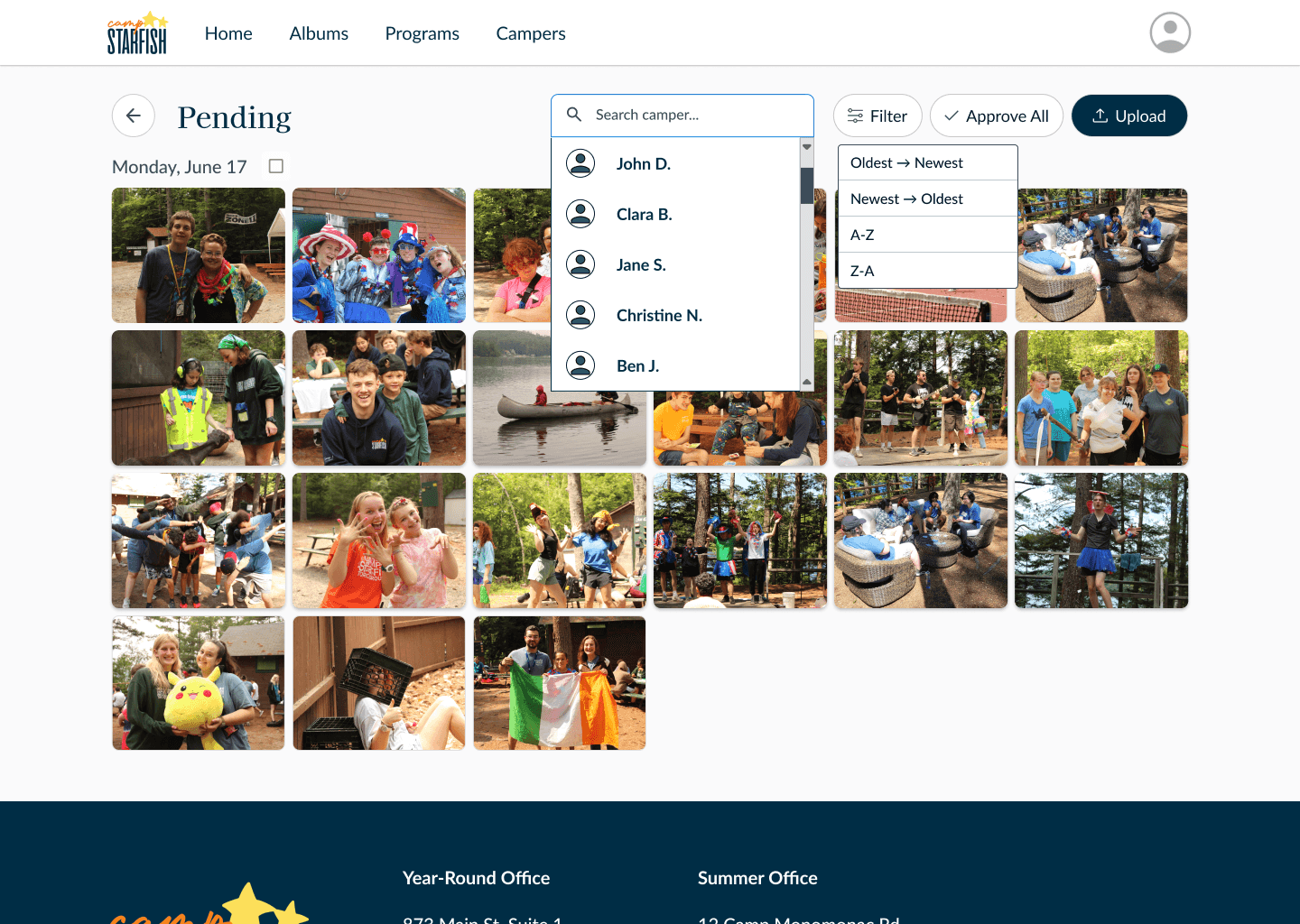
Manual Tagging & Approval Over Facial Recognition
Initially, PMs and engineers asked for an automated facial recognition feature to streamline tagging.
However, after evaluating the privacy risks, transparency concerns, and accuracy limitations that arose from similar implementations at other camps, I recommended to reconsider this approach, especially with our sensitive user context.
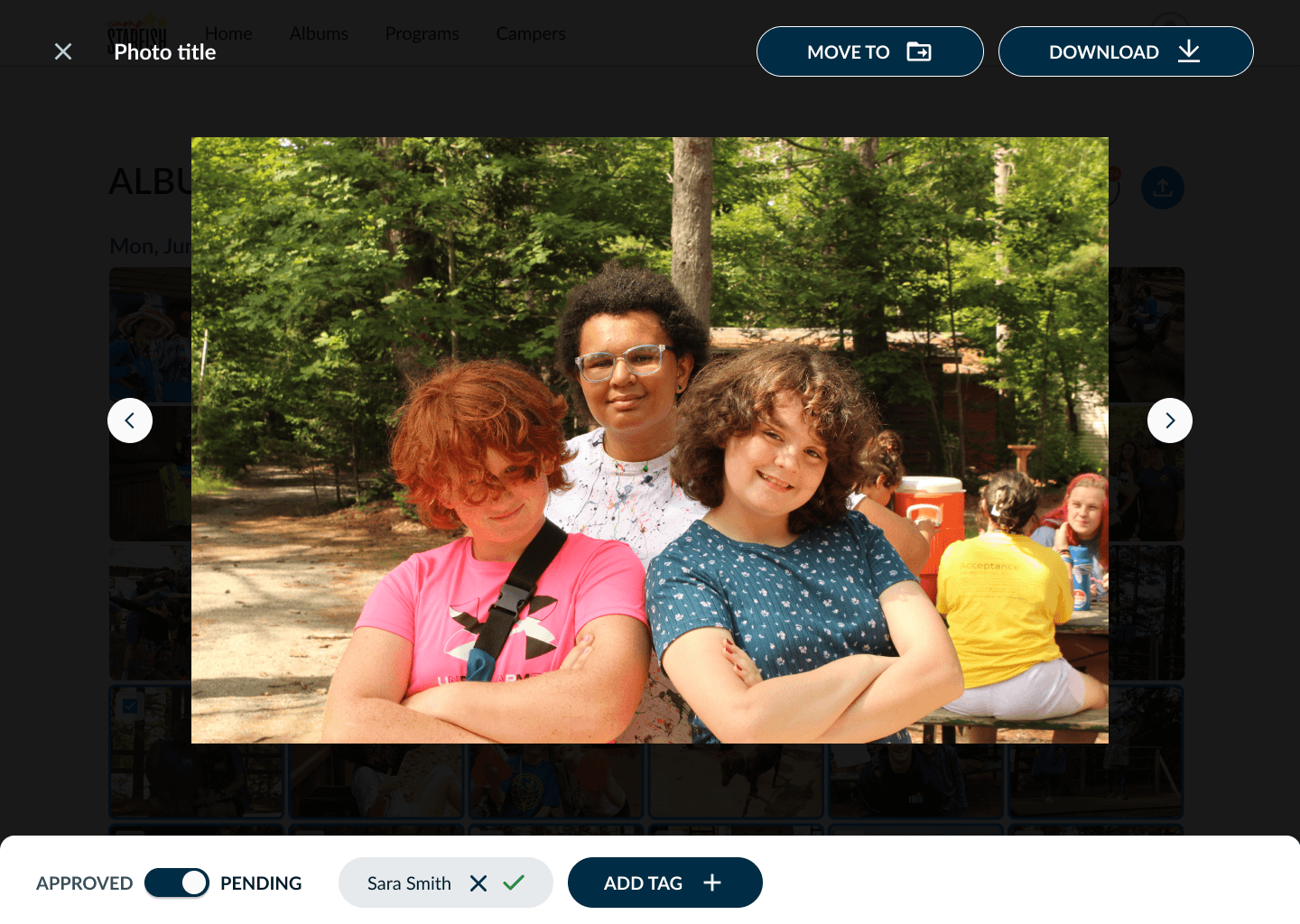
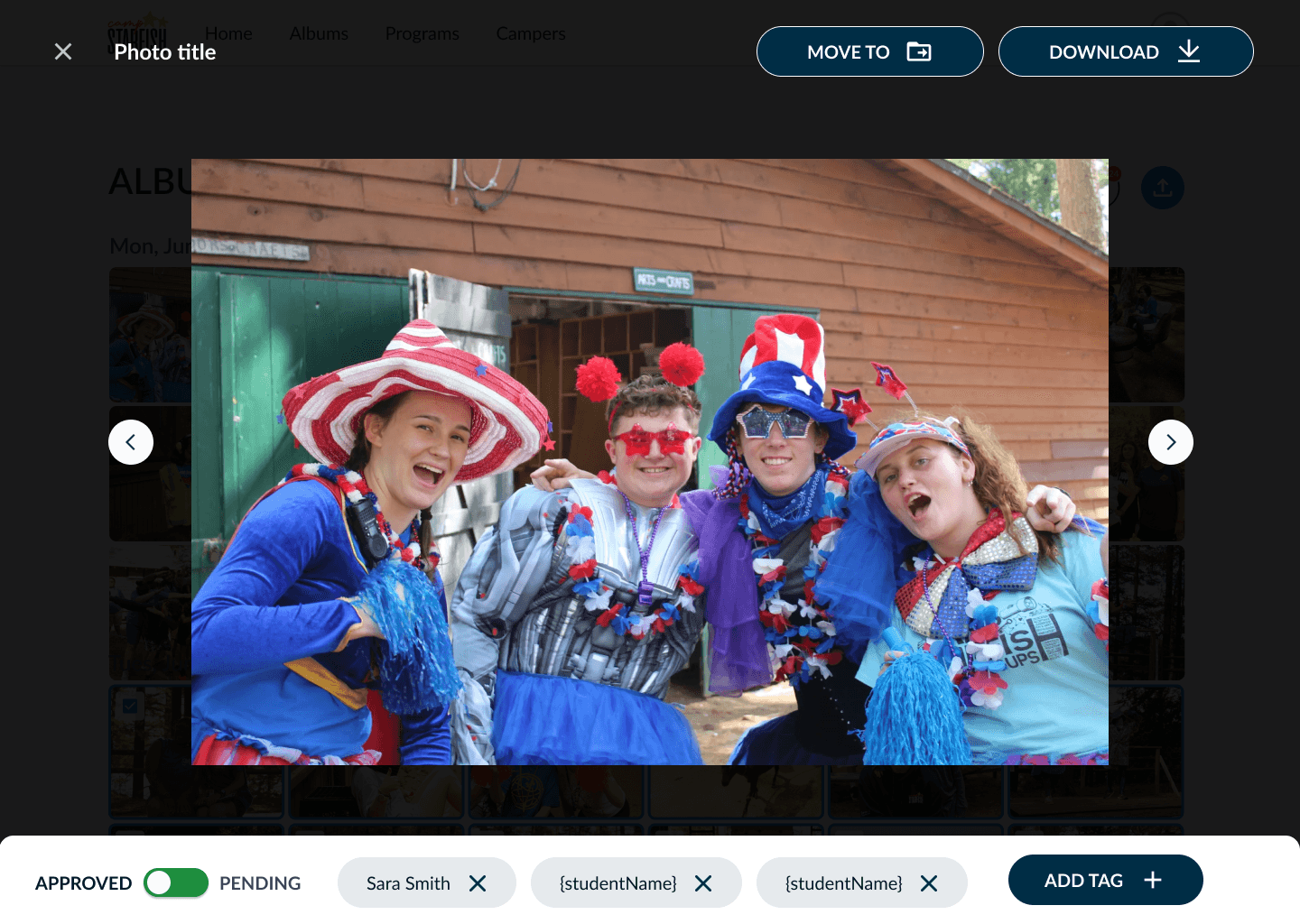
After aligning with our nonprofit stakeholder, we pivoted early to a pending-tag workflow that balanced both efficiency and human oversight.
Staff Tag Photos
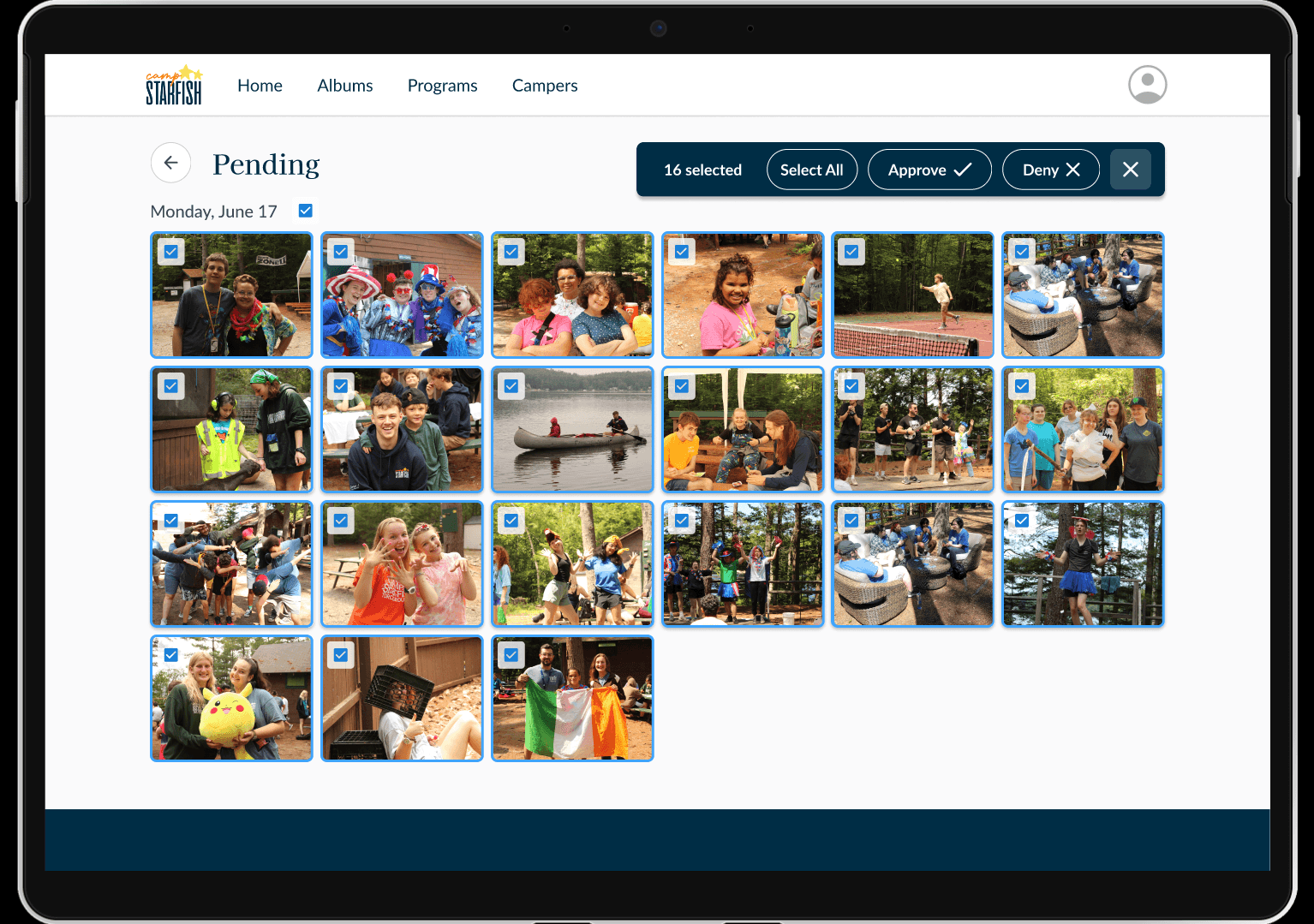
Admin Manage Pending Photos
Navigation Based on Existing Mental Models
Because photo volume scales each year, I designed a hierarchical information architecture that could support growth without increasing cognitive load.
I initially explored a flatter structure with programs and dates displayed on a single album card. However, user testing revealed that this structure was harder to navigate, particularly as photo volume increased. To maintain scalability, we chose a more chunked hierarchy that adhered to existing user mental models in Google Drive.
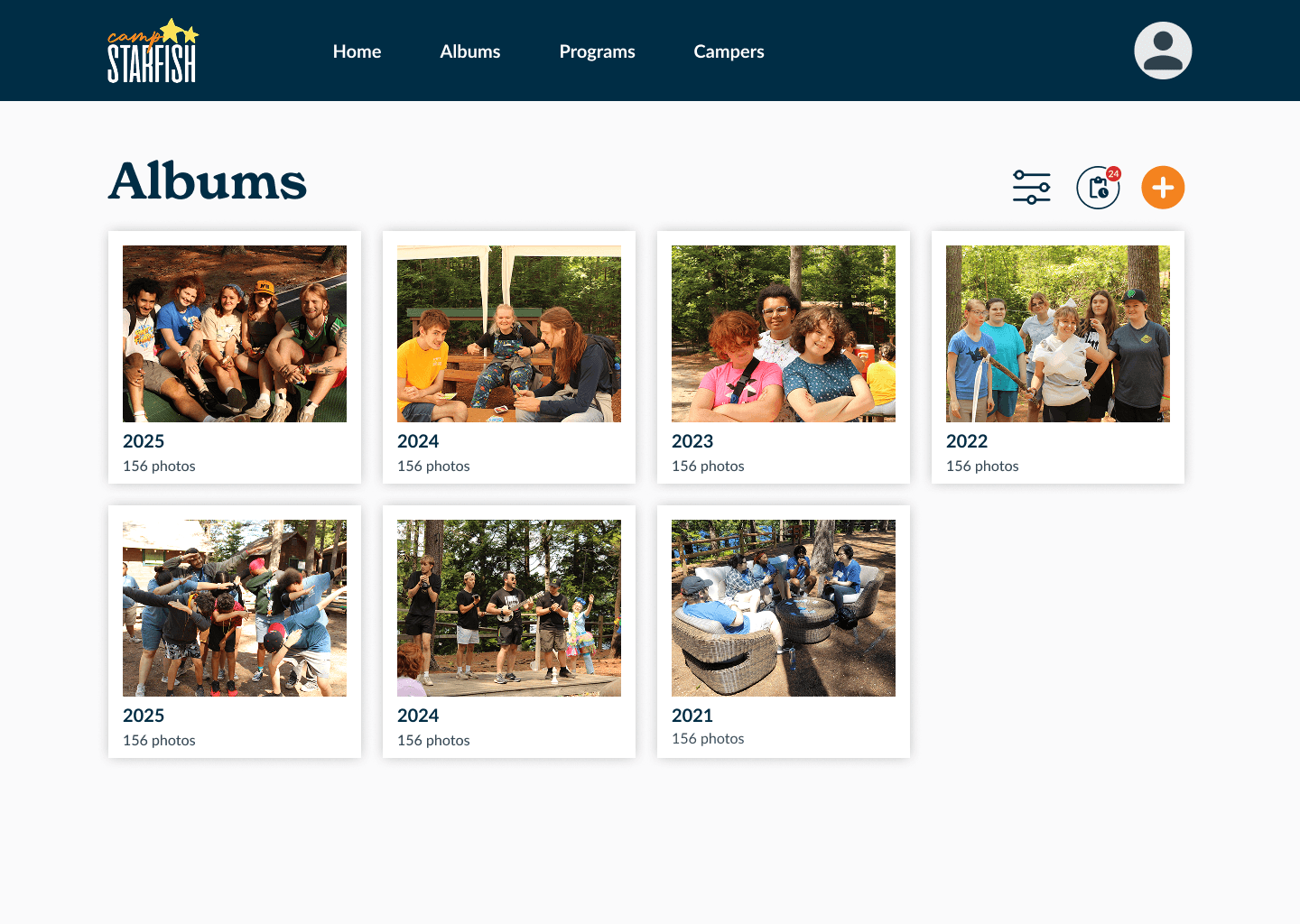
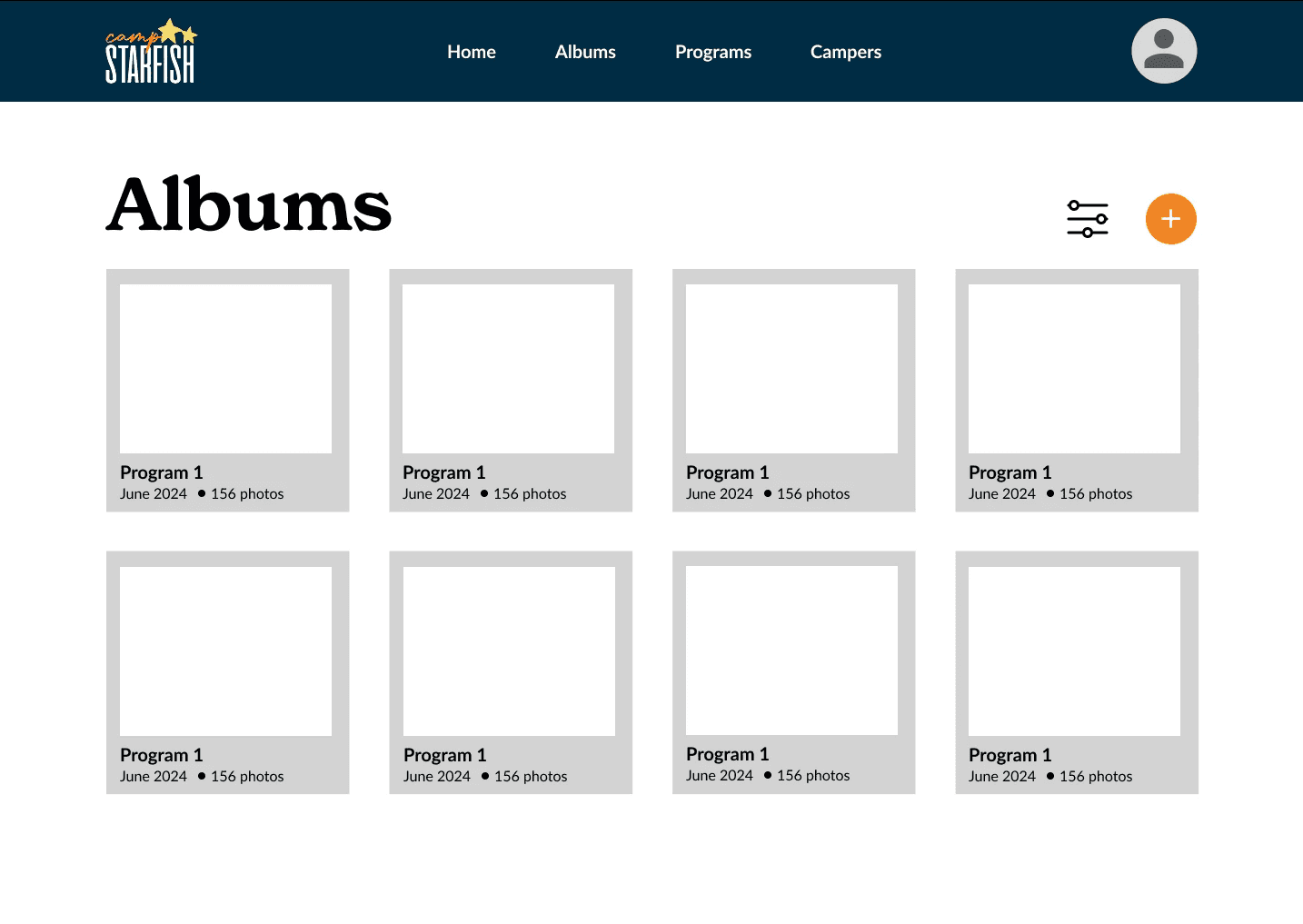
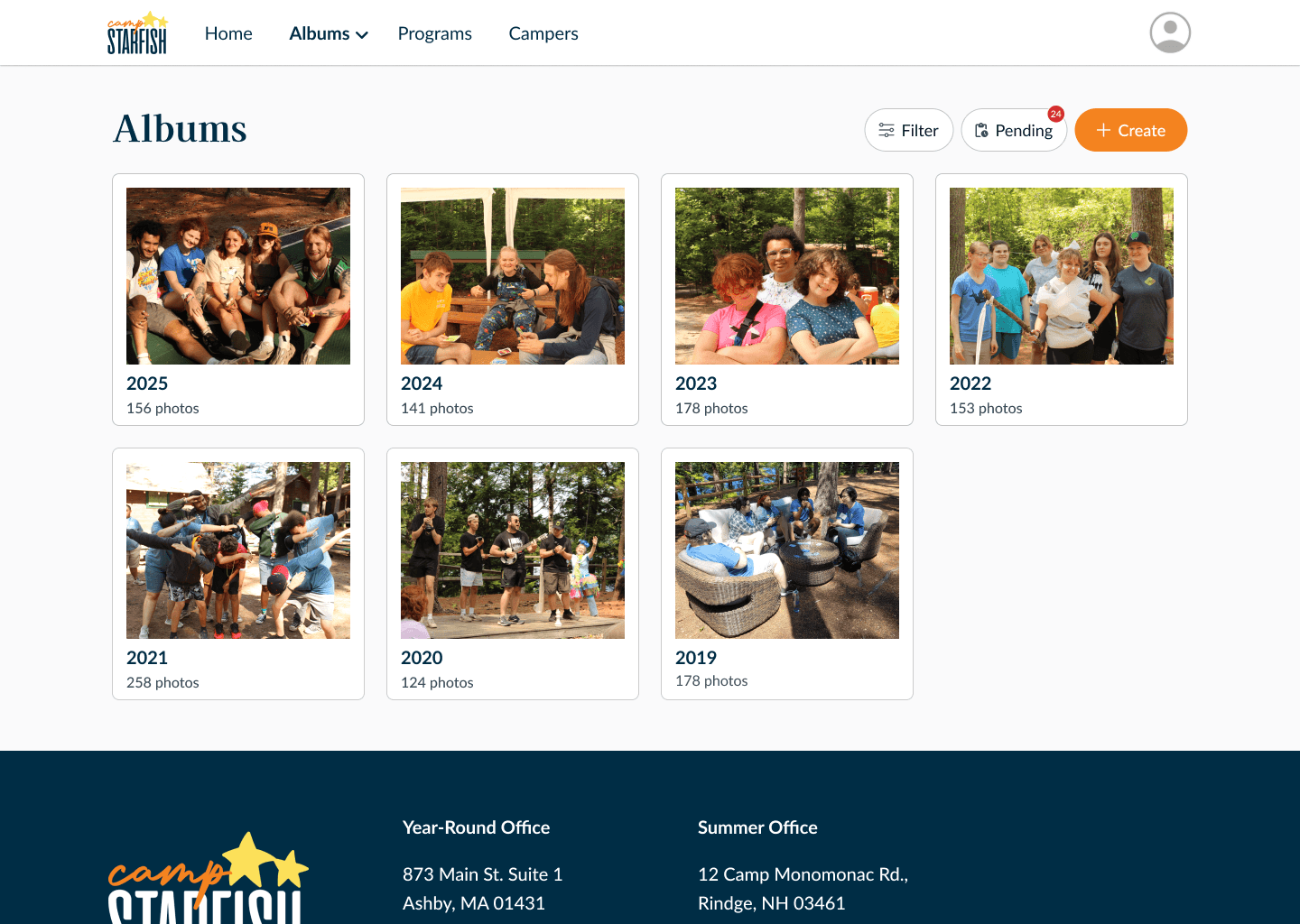
Refined album grouping to better scale for admins managing thousands of photos
Validation & Iteration
To validate the design and identify potential friction, we conducted live usability testing across all roles. Due to users’ busy schedules, we used asynchronous task-based surveys where users completed role-specific tasks such as finding an album or downloading a photo. We also conducted live virtual usability tests over Zoom using Figma prototypes to identify friction points.
Key Iterations
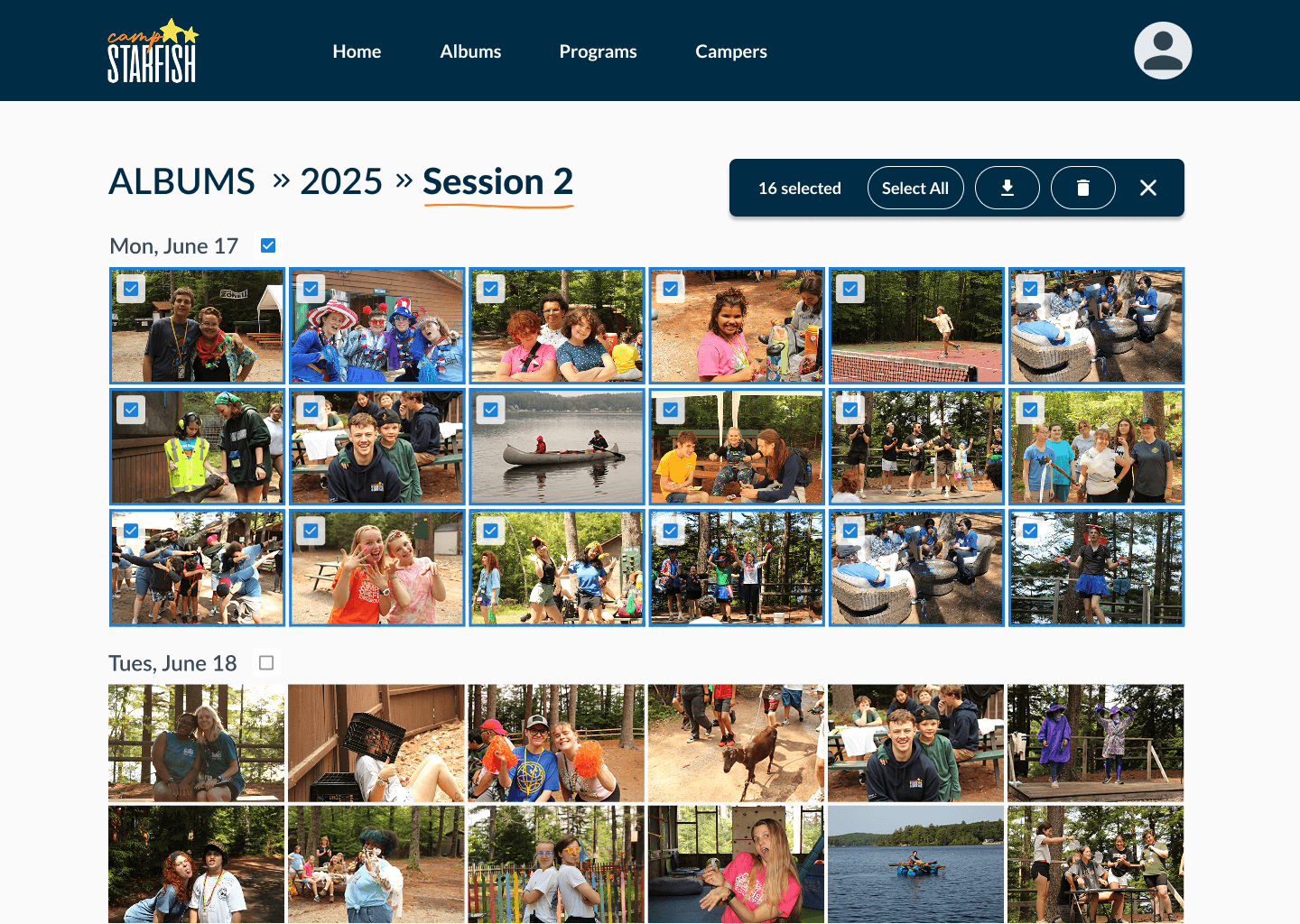
Increased visibility of bulk action toolbar
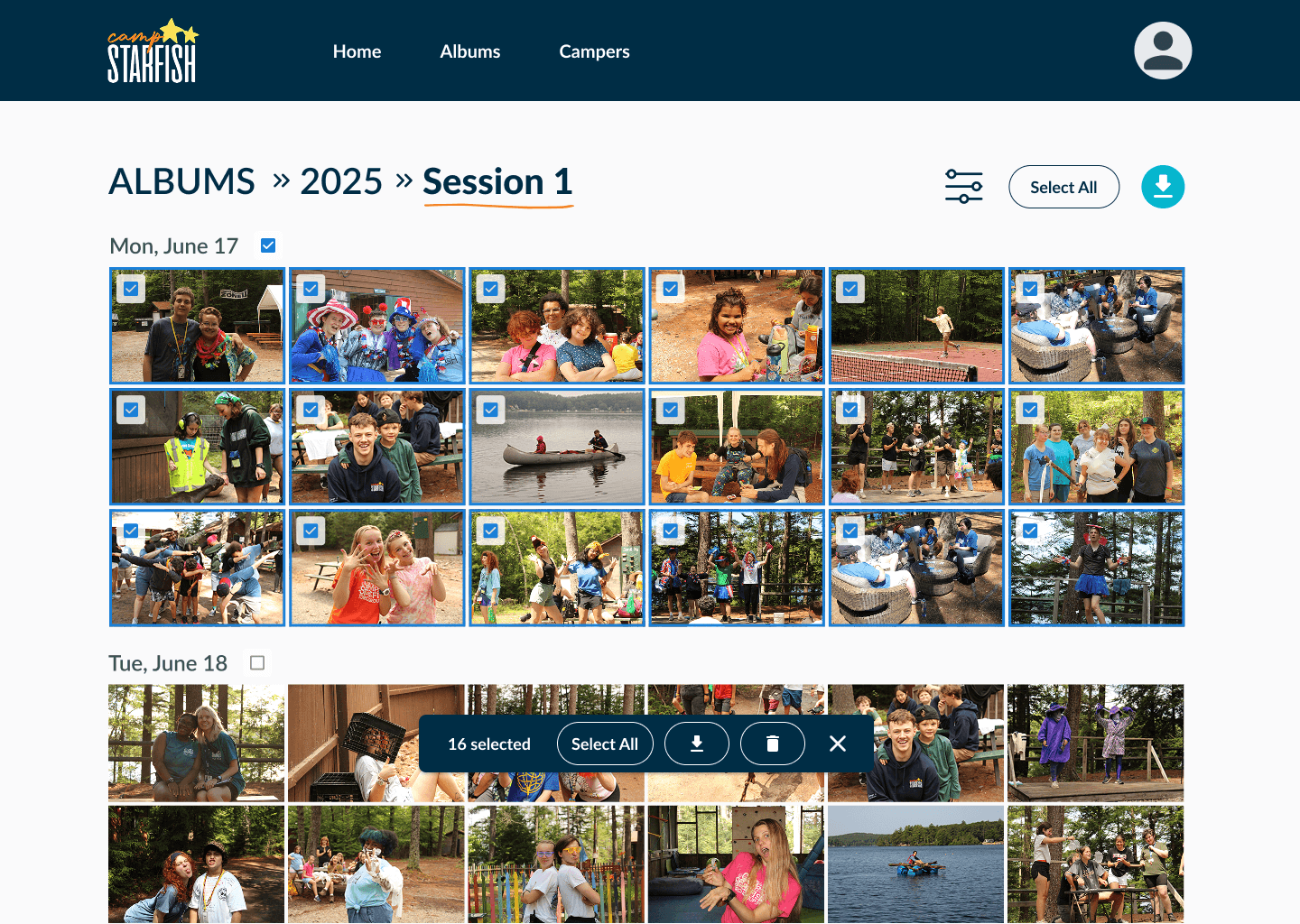
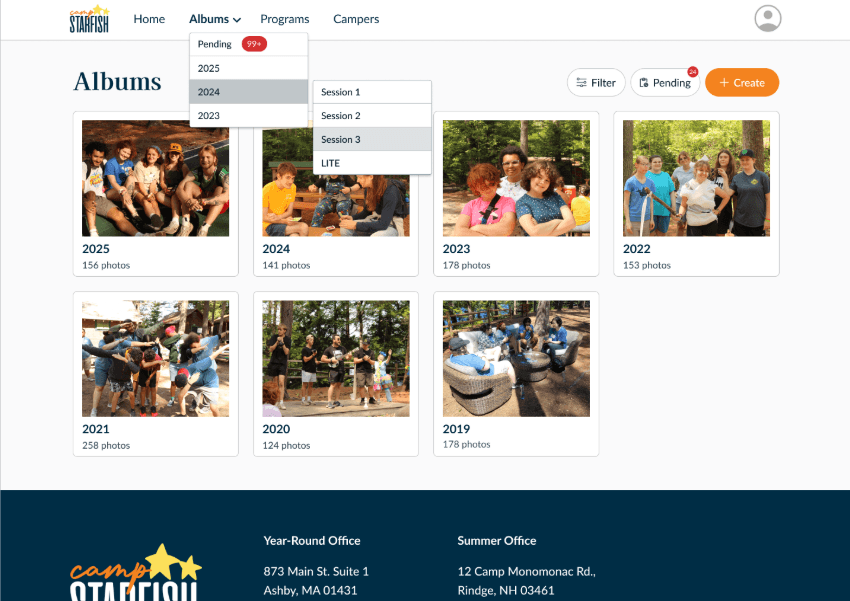
Added direct navigation to “Pending Photos” after users struggled to find it
DESIGN SYSTEM & ACCESSIBILITY
I also helped create a lightweight design system tailored to engineering feasibility. We focused only on components we actually needed, making implementation efficient. The camp already had an established brand with a few core colors, and I expanded that into a cohesive system of reusable components, WCAG-aligned color tokens, and responsive layouts.
Accessibility was prioritized to support users with varying technical proficiency.
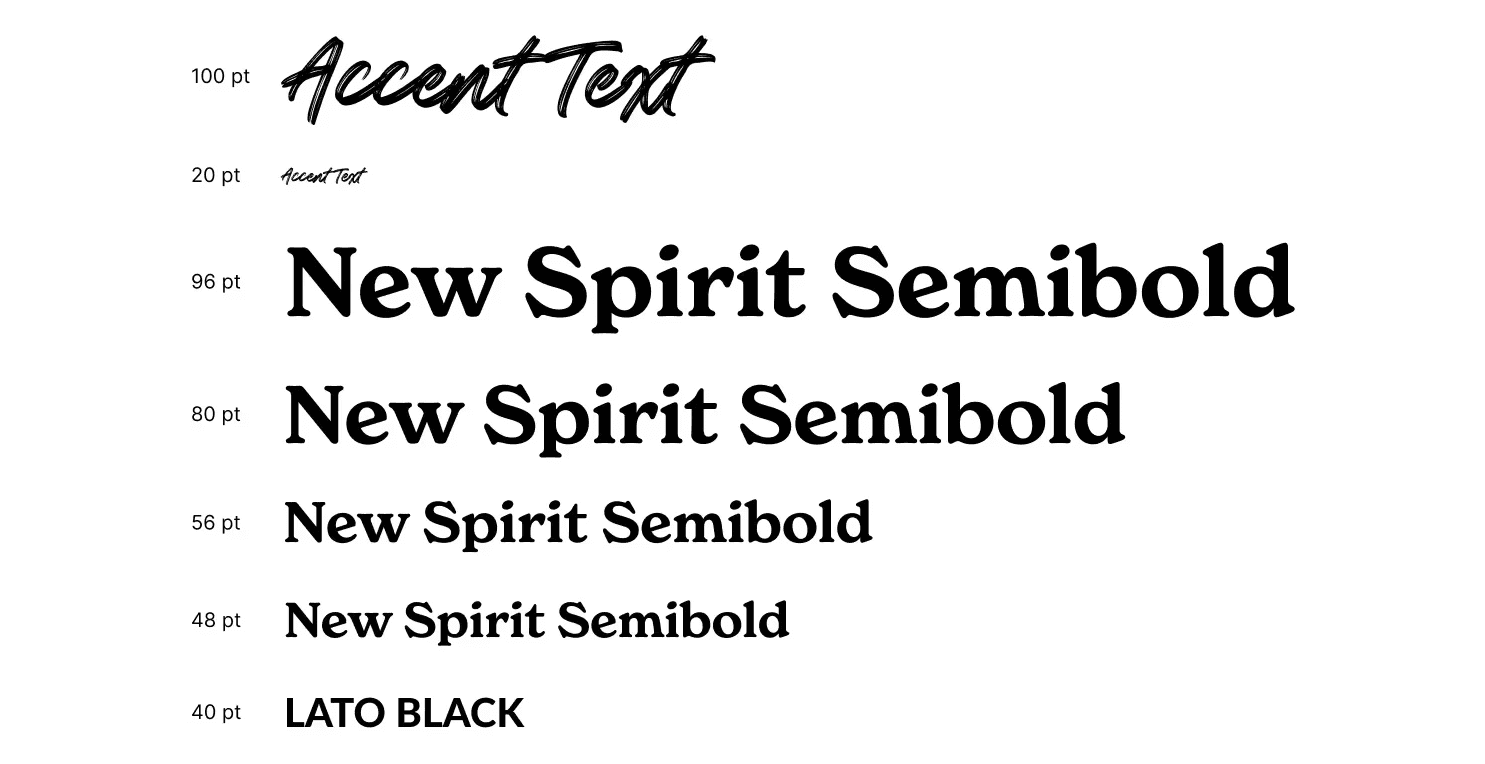
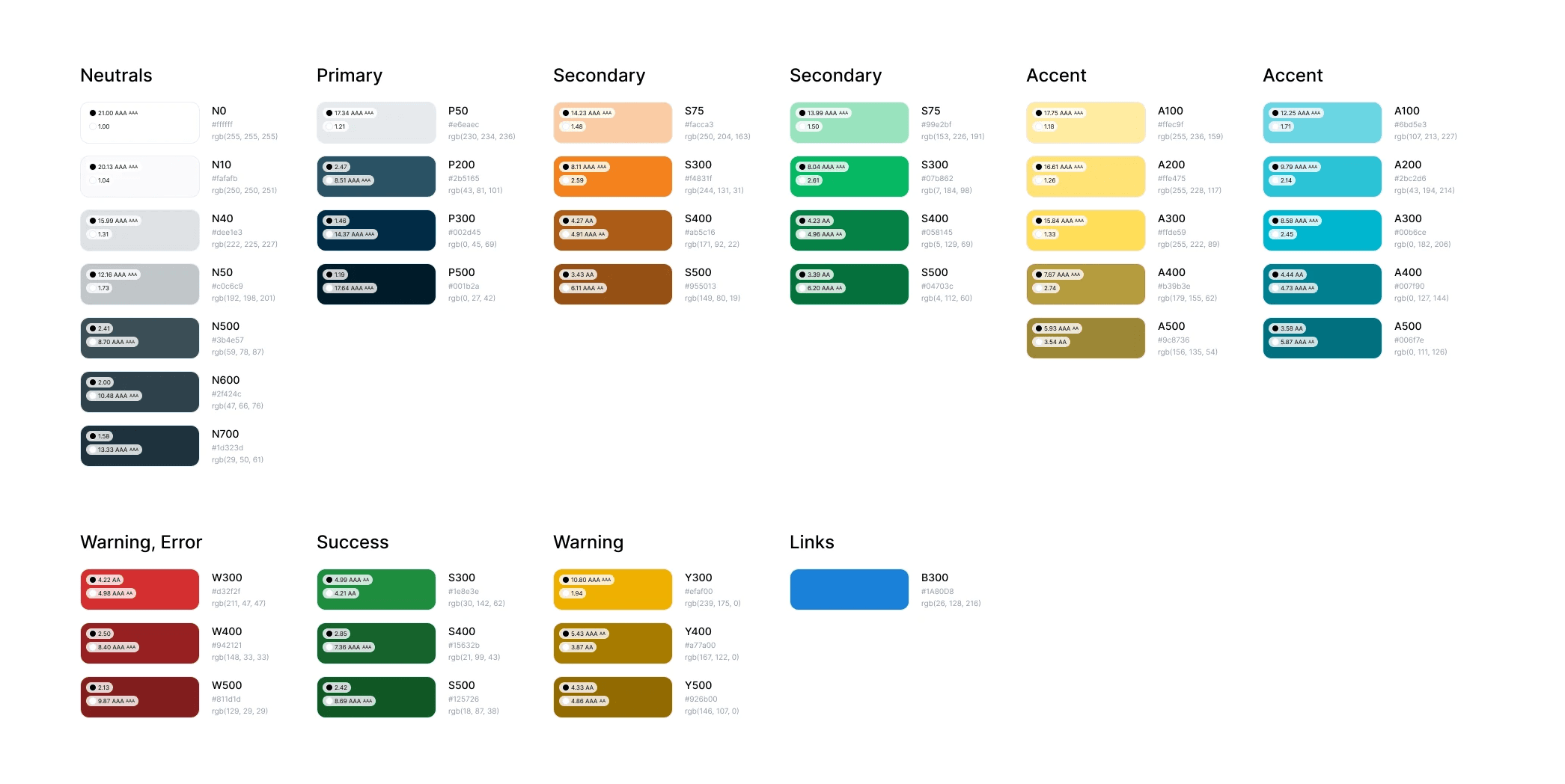
Typography and color palette based on Camp Starfish's existing brand to align with user expectations
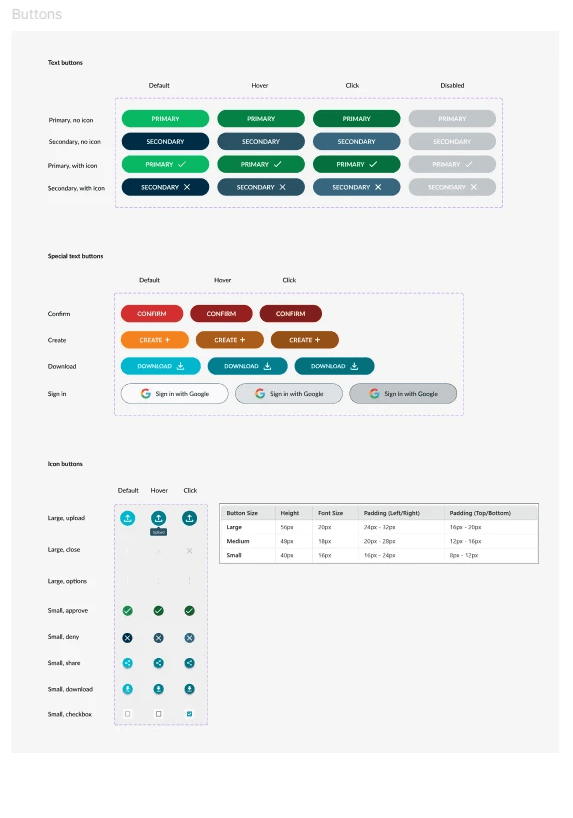
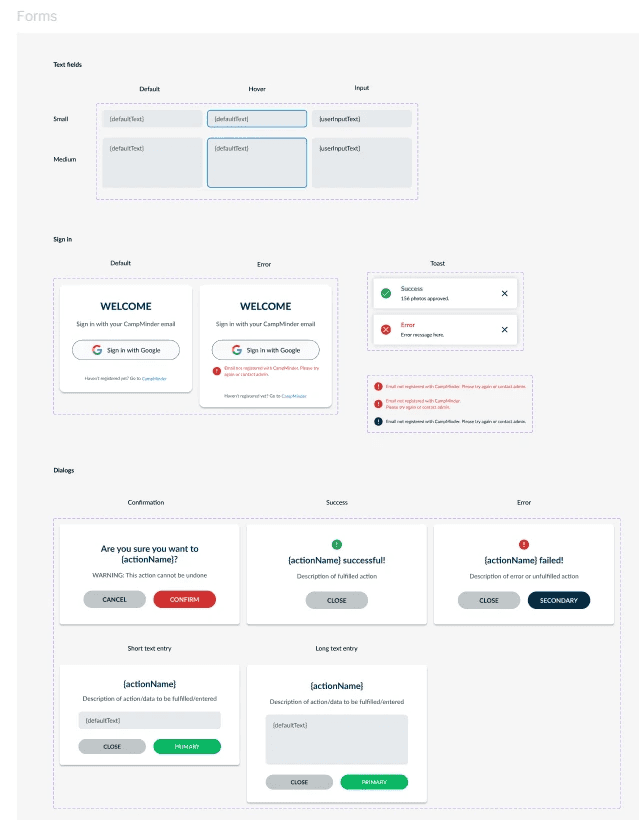
Reusable Components in Figma
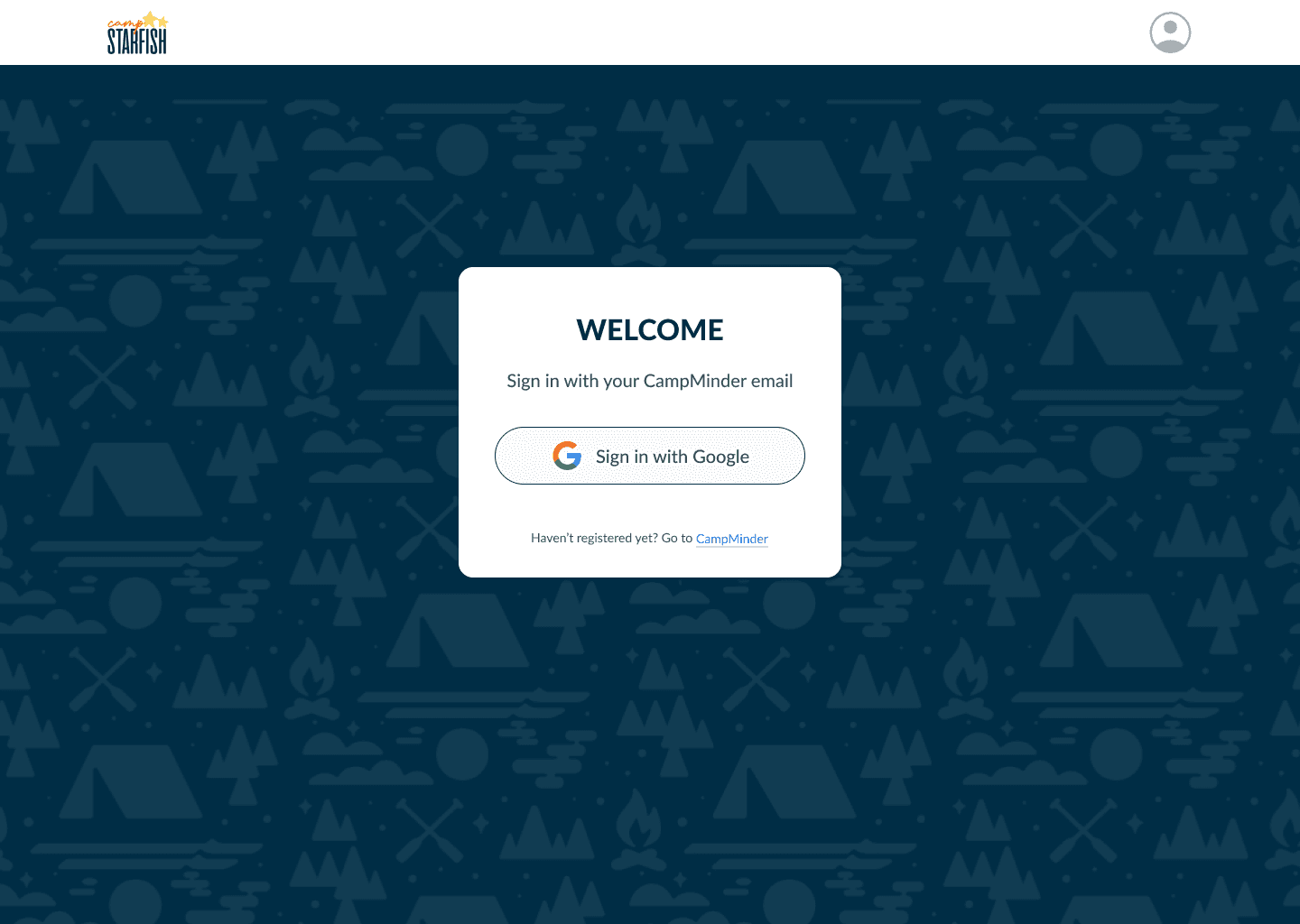
FINAL DESIGNS
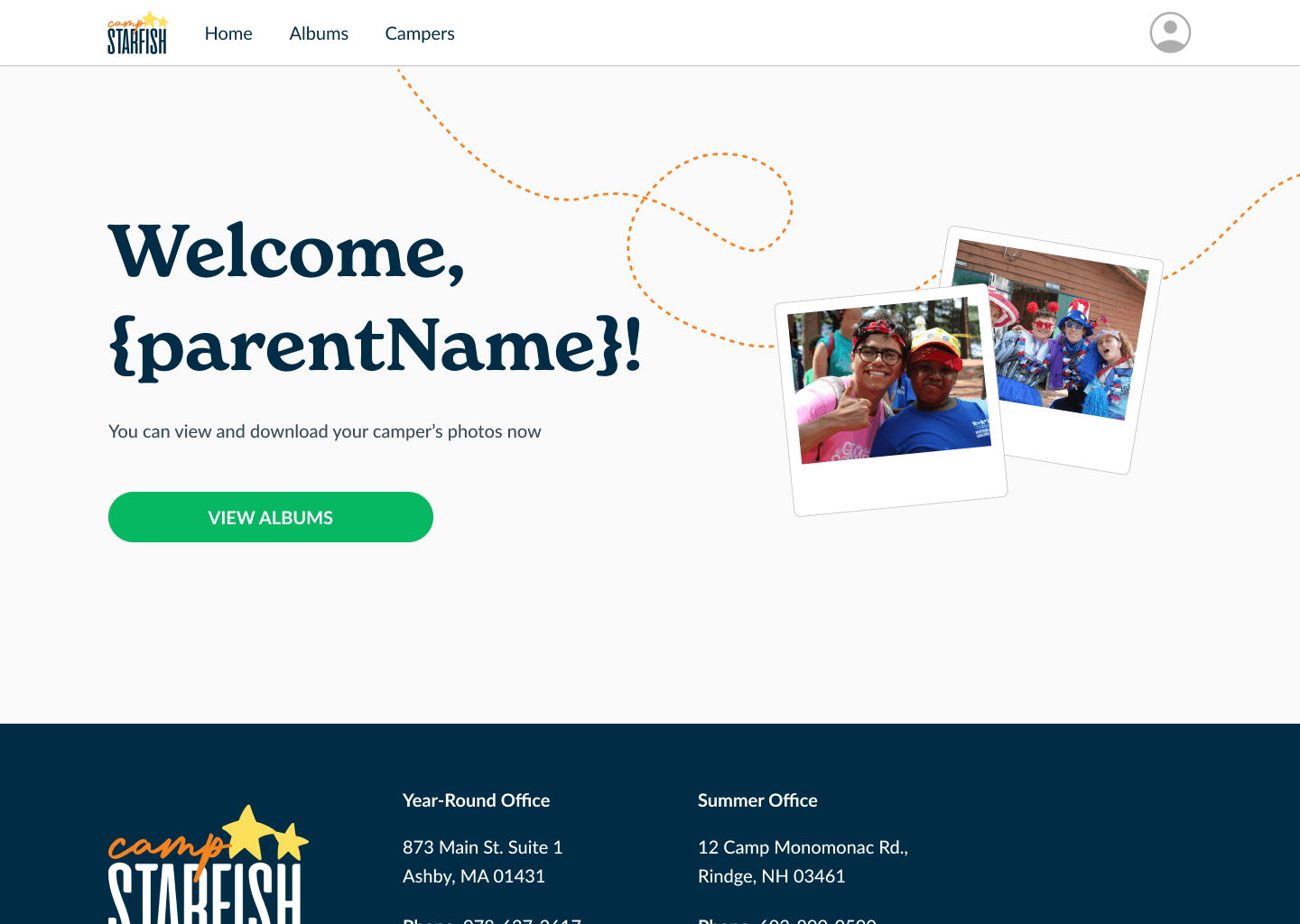
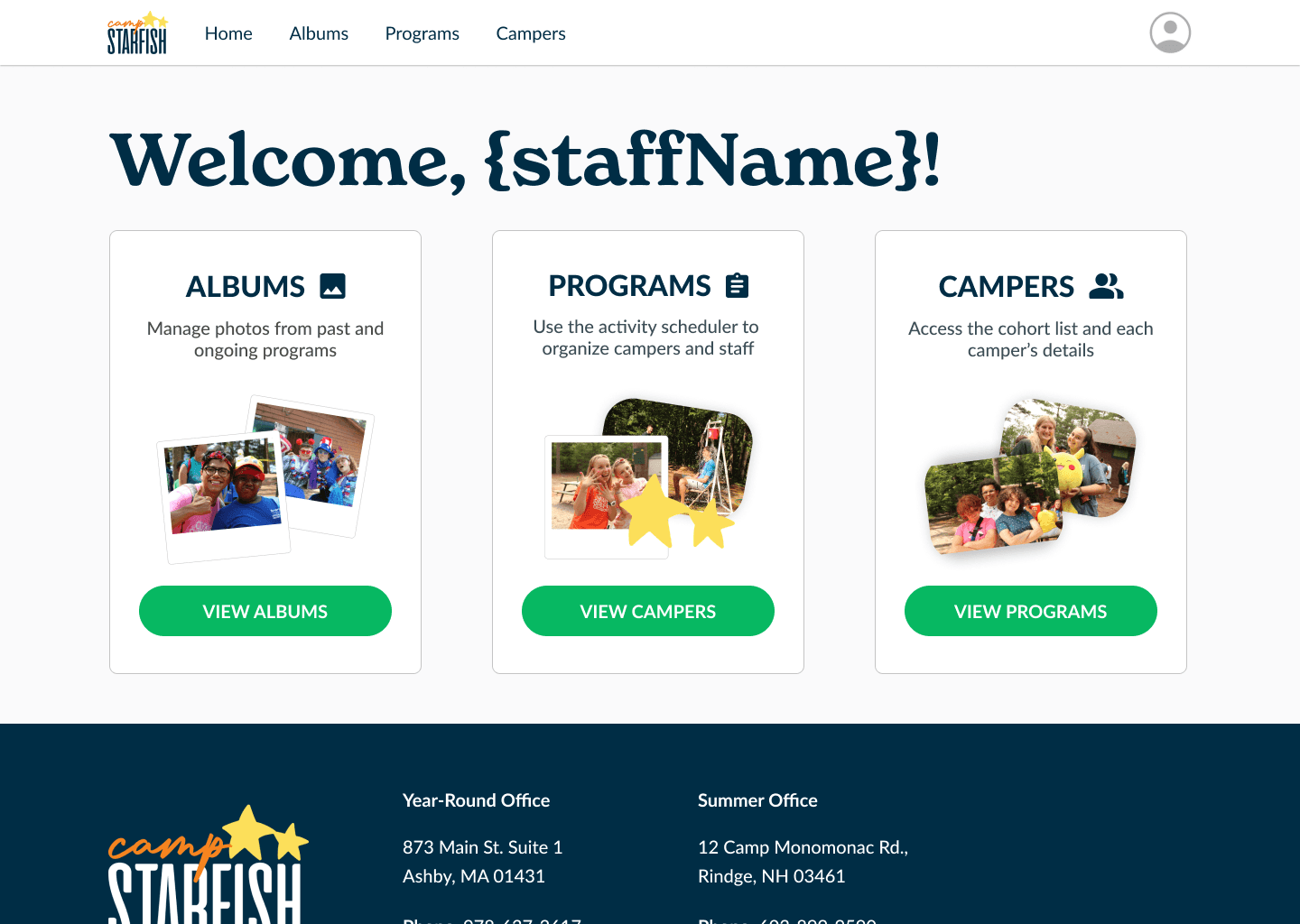
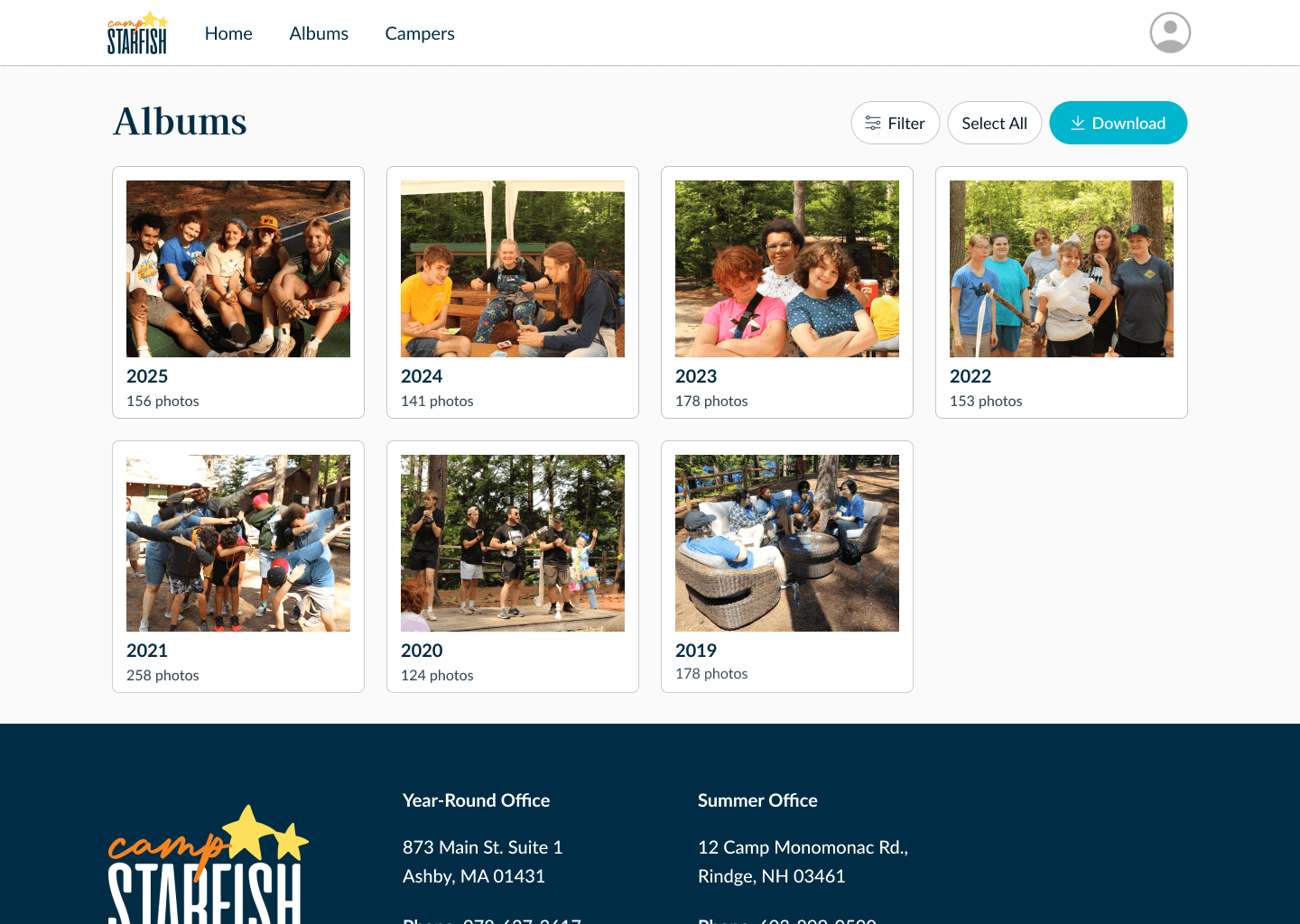
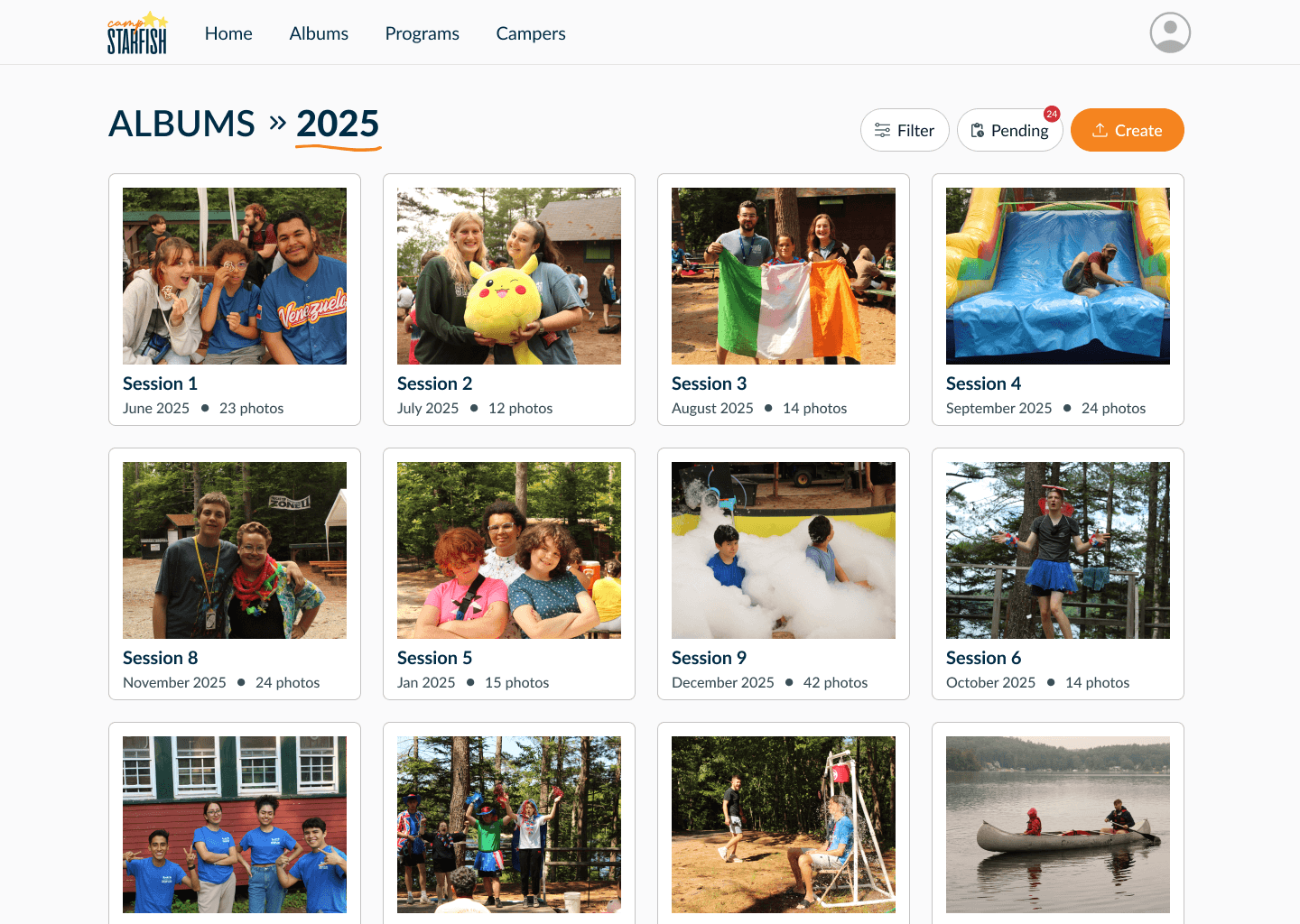
REFLECTION & NEXT STEPS
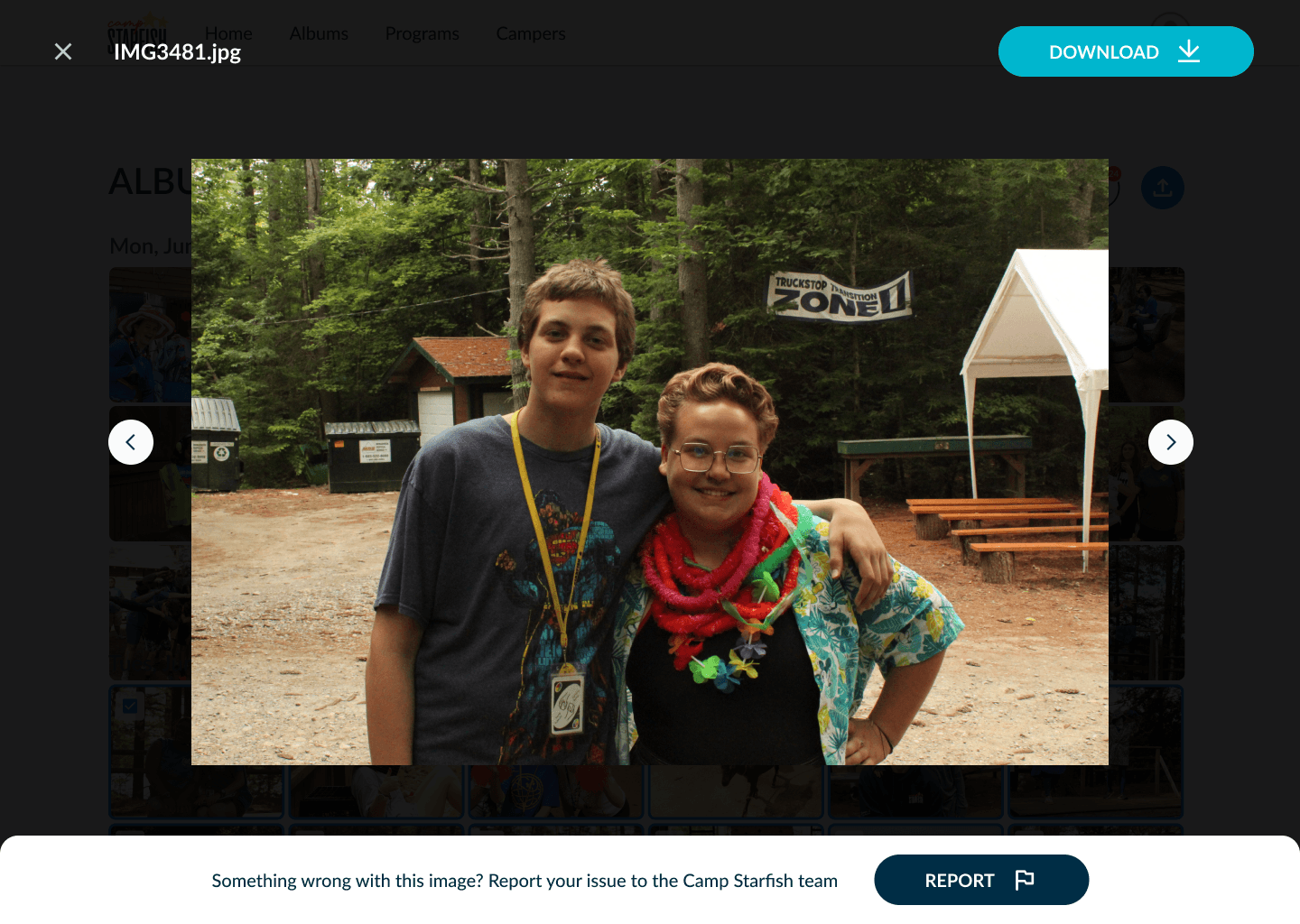
As a designer, this project was especially impactful for me because it was a full end-to-end experience in a professional, cross-functional environment. In terms of impact, we received overwhelmingly positive feedback, and our nonprofit client shared how meaningful it was for families to receive photos of their smiling campers.
With more time, I would:
Observe real-world usage post-launch
Validate the full workflow from upload → approval → parent access
Expand admin permission management and profile settings
What I learned & would do differently next time:
Consider edge cases early — especially when collaborating with engineers. For example, defining error states like failed logins earlier would have streamlined communication.
Design is largely about communication and alignment. Prioritizing stakeholder alignment early prevents friction later.
Efficiency without user trust is not good design. If users or stakeholders don’t trust a feature, they won’t adopt it, regardless of how efficient it is. Balancing efficiency with trust was one of the most important lessons I learned.